Docs
Platform admin
The platform owner's console: tenant management, licensing, mail templates, SMTP, email logs, login page and monitoring.
This page is for the platform owner — the person or team running a Workcraft installation — not for tenant administrators. Everything here lives in the master admin console, which is separate from the per-workspace admin surfaces covered in Users & roles and App settings.
Tenant management
The Tenants section lists every workspace on the installation. You can search, filter by status (pending, approved, suspended), and act on each tenant:
- Approve / Reject — pending sign-ups wait for your decision (unless auto-approval is enabled). Rejecting asks for a reason the tenant sees.
- Edit licensing — per-tenant plan, subscription status and numeric limits (users, apps, workflows, connections, schedules, AI generations);
-1means unlimited. The modal shows live usage against each limit. - Feature grants / revocations — beyond the plan's standard entitlements, you can grant or revoke individual features for a specific tenant (custom deals).
Plan tiers and what they include are described in Plans & limits.
Appearance
Platform-wide look-and-feel overrides for the admin console itself — distinct from per-tenant branding (which tenants control under their own settings; see Branding & multi-tenancy).
Mail templates
Every system email — invitations, password resets, notifications — uses an editable template. Pick a template from the list, edit its subject and rich-text body, preview it with the preview toggle, then save. Reset to default restores the built-in wording. Templates support variable placeholders filled per recipient.
SMTP settings
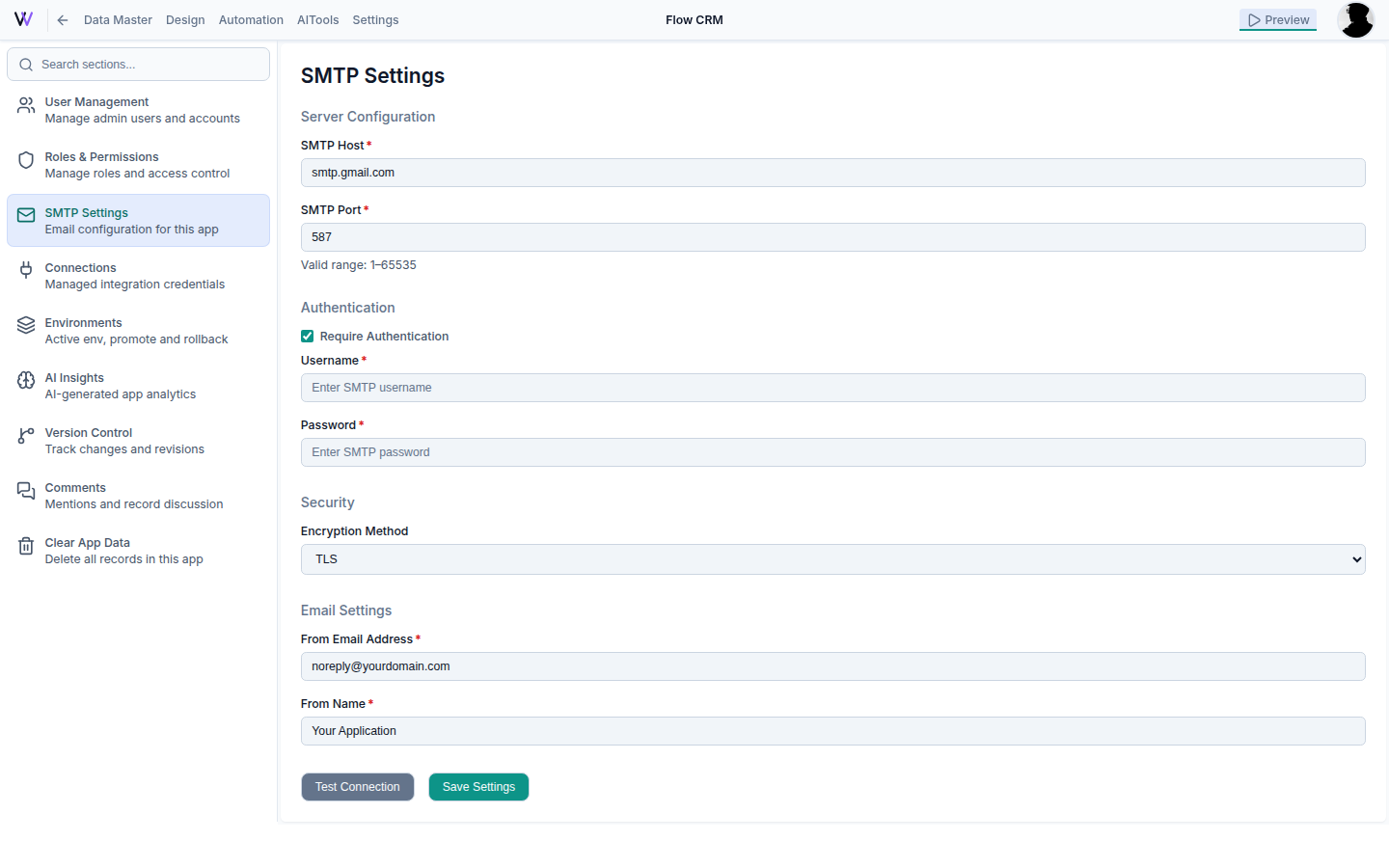
The platform's outbound mail server: host, port, encryption, username and password. This is the fallback used when a tenant hasn't configured its own SMTP (app-level SMTP lives in each app's settings — see Email (SMTP)).
Email logs
A searchable log of every email the platform tried to send. Filter by status, template and recipient text; each row shows date, template, recipient, tenant and status. Open a row for the full detail — the rendered content plus error details when delivery failed. Use it to debug "I never got the invitation" reports.
Login page designer
White-label the platform's sign-in screen: layout variants, brand name and product name, headline, subtext and tagline, logo image, accent/mark styling and background. Changes apply to the login page everyone sees before entering their workspace.
AI pre-flight intent guard
Tenant admins can screen AI requests before they run. Under Settings → AI & Knowledge, enable the intent guard and choose a strictness level (standard or strict). Requests that look unsafe or off-topic are blocked before execution; security audit events are recorded for review.
Performance monitoring
The monitoring section surfaces platform health: a system overview, detected performance issues, per-endpoint timings, monitoring actions and JavaMelody dashboard access for deep diagnostics, plus performance reports and alert settings so you can be notified before users notice slowdowns.
Day-to-day owner tasks
| Task | Where |
|---|---|
| Approve a new workspace | Tenants → Approve |
| Move a tenant to Pro / unlimited | Tenants → Edit licensing → plan + limits |
| Fix broken invitation emails | SMTP settings → Email logs |
| Rebrand the sign-in page | Login page designer |
| Investigate slowness | Performance monitoring |