Docs
Flow node reference
Every executable flow node: purpose, key operations and required connections, grouped by family.
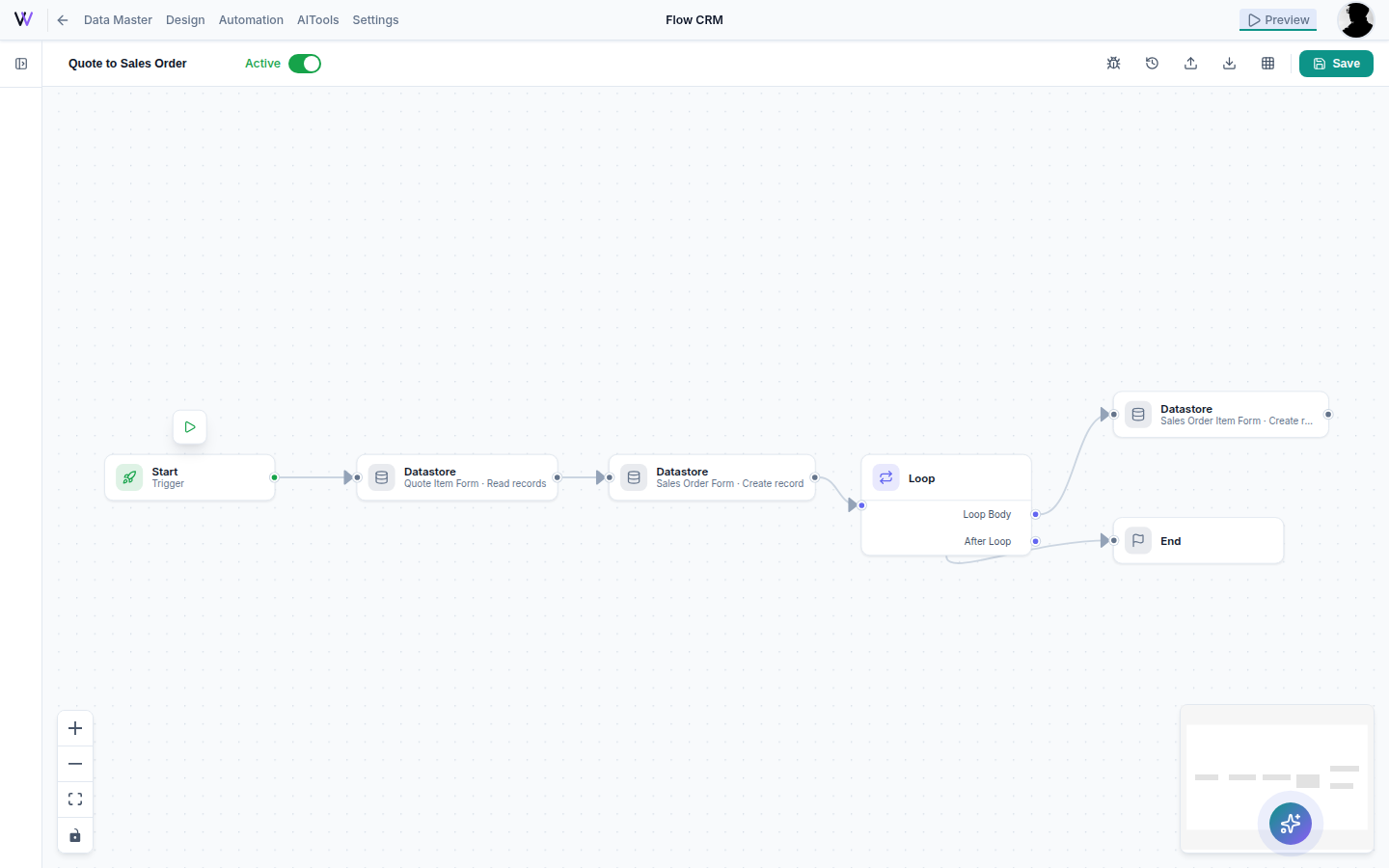
The complete reference for every node you can drop on a flow canvas. Nodes are grouped by family; each row lists what the node does and its main operations. For how flows work — triggers, variables, debugging — see Automation flows.
Note: the designer palette may show a few nodes that are not yet executable in flow runs. Only the nodes listed here are safe to build on.
Core & logic
| Node | Purpose | Key options |
|---|---|---|
| Start | Entry point of every flow | Trigger type (manual / scheduled / webhook), input parameters, schedule config |
| End | Terminal node returning the final result | Status, message, output mapping, optional cleanup actions |
| If/Else | Branch on expression conditions | Each condition gets its own output handle plus a default path; operators == != > < >= <= true false null !null, variables as ${nodeId.path} |
| Loop | Repeat over items | For-count, for-each-collection, or while-condition; max-iteration guard |
| JavaScript | Run custom script code | Script body, input data, named output variable for later nodes |
| Jolt | JSON-to-JSON transformation | Jolt spec applied to input JSON |
| Sub-flow | Run another flow as a step | Sub-flow picker, input mapping |
| Webhook (outbound) | HTTP request to any URL | Method, headers, body, timeout, retry config, auth; private/loopback hosts blocked |
| OAuth | OAuth authentication flow step | Provider, client credentials, scopes, redirect URI |
App data
| Node | Purpose | Key operations |
|---|---|---|
| DataStore | Read/write records submitted through app forms | getRecords, getRecord, createRecord, updateRecord, deleteRecord — with search filters and field mappings |
| Data table | Read/write raw rows of an app data table | getRows, getRow, addRow, updateRow, deleteRow — filter column/value, row values |
| Workflow | Execute a transition on a record's workflow instance | Workflow + transition pickers, record ID, optional comment |
Communication
| Node | Purpose | Key operations |
|---|---|---|
| Send email | To/CC/subject/body or a mail template; uses the app's SMTP settings or a connection | |
| Slack | Post to Slack | postMessage to a channel, sendDM by email; optional Block Kit blocks, thread replies; via Slack connection |
| Teams | Microsoft Teams via Graph | Channel/chat messages, chats, teams, tabs, meetings — create/list/update/delete operations |
| Twilio | SMS, WhatsApp, voice | sendSms, sendWhatsApp, makeCall, getMessage, getCall |
| SendGrid | Transactional email API | send, sendTemplate, getStats, validateEmail |
| Gmail | Gmail mailbox | send, search, list, get, thread, modify, trash |
| Microsoft 365 | Outlook/OneDrive/SharePoint/Excel via Graph | Surface picker (mail, drive, sharepoint, excel, raw) × operations |
| Notification | In-app notification to users | Title, message, target users/roles — shows in the app's notification center |
External databases
| Node | Purpose | Key operations |
|---|---|---|
| MongoDB | MongoDB collections | find, findOne, insert, update, delete, aggregate — via connection |
| MySQL | MySQL queries | SQL query with bound parameters |
| Oracle | Oracle database | SQL query via connection or connection string |
| Redis | Redis cache | get, set, delete with TTL |
| Google Sheets | Sheets read/write | Read/write cell ranges by spreadsheet + range |
| Airtable | Airtable bases | Read/write records by base + table |
Enterprise & SaaS integrations
Each node binds to a managed connection of the same provider and exposes the common operations below; provider-specific extras exist (e.g. Stripe Checkout, GitHub file writes, AWS SES).
| Node | Purpose | Key operations |
|---|---|---|
| Salesforce | Salesforce CRM | query (SOQL), get, create, update, delete, describe — any sObject |
| Jira | Jira Cloud | createIssue, updateIssue, getIssue, searchJql, addComment |
| HubSpot | HubSpot CRM | get, list, create, update, delete, search — contacts, companies, deals, tickets |
| ServiceNow | ServiceNow tables | query, get, create, update, delete — any table by name |
| Zendesk | Zendesk support | search, listTickets, getTicket, createTicket, updateTicket, addComment, user upsert |
| SAP | SAP S/4HANA OData | query, get, create, update, delete, function import — any entity set |
| Workday | Workday HCM | query, create, update, RAAS report retrieval |
| NetSuite | NetSuite ERP | SuiteQL queries plus record get/create/update/delete and catalog |
| Stripe | Stripe payments | Payment intents, customers, charges, refunds, balance, Checkout sessions, raw GET/POST |
| Razorpay | Razorpay payments | Orders, payments, capture, refunds, payment links |
| DocuSign | E-signature envelopes | sendEnvelope, sendTemplate, get/list envelopes, recipients, void, download, templates |
| GitHub | GitHub repos | Repos, issues, PRs, comments, file read/write, code search, raw GET/POST |
| AWS | Amazon Web Services | S3 objects, SQS queues, SNS topics, SES email — region + credentials on the connection |
| Firecrawl | Web scraping | Scrape a URL with options (markdown/html extraction) |
| MeshCentral | MeshCentral device management | Device operations via the MeshCentral API |
AI & media
| Node | Purpose | Key options |
|---|---|---|
| OpenAI agent | GPT models with tool use | Model, system prompt, user prompt, tools, temperature |
| Anthropic | Claude via Messages API | Model, system prompt, prompt, max tokens, temperature |
| Gemini | Google Gemini | Model, system prompt, user prompt |
| Perplexity | Perplexity search/answer models | Model, system prompt, user prompt |
| OpenRouter | Many models through one gateway | Model, system prompt, user prompt |
| HuggingFace | Hugging Face inference | Model, system prompt, user prompt |
| Ollama / LM Studio | Local models on your own hardware | Model, system prompt, user prompt, your endpoint URL |
| RAG | Retrieval-augmented answers | Query against a knowledge base; top-K results |
| Embedding | Generate text embeddings | Model, text, dimensions |
| Vector DB | Vector index operations | Store/query vectors with filters |
| Document upload | Ingest a file for RAG | File content, name, type |
| Speech-to-text | Audio → text | Audio data, model |
| Text-to-speech | Text → audio | Text, model, voice |
Chat & documents
| Node | Purpose | Key options |
|---|---|---|
| Chat input | Pause the flow and ask the user a structured question | Question text, response variable, input type (text/choice), required, validation pattern, timeout, options |
| Message input | Emit a chat message while the flow runs | Message text, sender name, timestamp toggle, variable parsing, message type |
| Chat response | Format the reply for the chat widget | Display type (text/fields/table/html/chart), message, field mappings, rows/columns, chart options |
| Generate a PDF document | Template, data, output name | |
| File writer | Write a file | Path, content, mode |
| Chat input (legacy alias: questionchat) | Old questionchat nodes are migrated to Chat input automatically — configure Chat input only. | |
Using the reference
- Node outputs feed later nodes through
${nodeId.key}references — see Variables and data passing. - Most integration nodes need a managed connection picked in the node's connection field — set credentials up first under App Settings → Connections (see Data & connections).
- Nodes that touch plan-gated features (some AI providers, enterprise connectors, channels) fail with a plan message if your workspace lacks the entitlement — check Plans & limits.