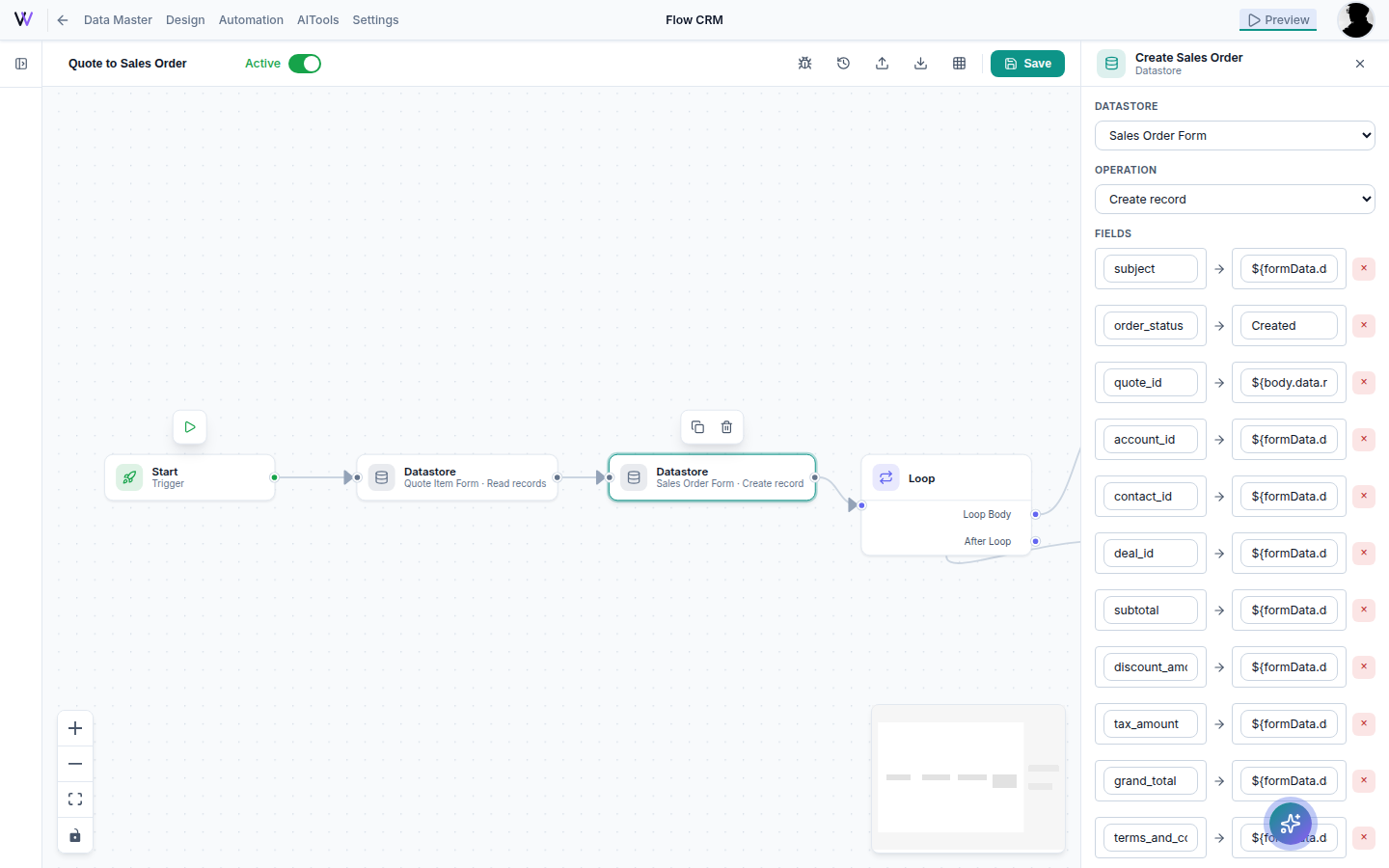
Every config field each flow node exposes, grouped the same way as the node reference. Fields marked required must be filled; dropdowns list their options; connector nodes show each operation's own fields.
Note: questionchat is a legacy node type — the designer migrates it to Chat input automatically, so only Chat input needs documenting. The palette's non-executable nodes (Decision Rule, Elasticsearch, generic Postgres/SQL, Google Calendar/Drive/Workspace, Notion) are intentionally absent.
Node index
Core & logic
Start
Entry point of every flow — choose the trigger and declare inputs other nodes can reference.
| Field | Key | Control | | Notes |
|---|
| Trigger | triggerType | Dropdown | | Manual / Scheduled / Webhook — determines which extra fields appear |
| Schedule | | Schedule editor | | Interval, daily, weekly, cron or once — see schedules |
| Input parameters | | List editor | | Named inputs callers must supply when the flow is invoked manually or by webhook |
End
Terminal node — sets the run's final status and output.
| Field | Key | Control | | Notes |
|---|
| Status | status | Dropdown | | Success / failure / custom |
| Message | message | Text area | | Final message stored on the run |
| Output | output | Key/value editor | | Named values returned to the caller |
Webhook (outbound)
HTTP request to any URL — method, headers, body, auth.
| Field | Key | Control | | Notes |
|---|
| Template Name | templates | Dropdown | | |
| Template Name | name | Text | | |
| Webhook URL | url | Dropdown | | POST |
| Method | method | Dropdown | | POST; GET; PUT; DELETE |
| Content Type | contentType | Dropdown | | application/json = JSON (application/json); application/x-www-form-urlencoded = Form URL Encoded (application/x-www-form-urlencoded); text/plain = Plain Text (text/plain); application/xml = XML (application/xml) |
| Headers | headers | Text area | | |
| Body | body | Text area | | |
| Webhook URL | url | Text | | |
| Method | method | Dropdown | | POST; GET; PUT; DELETE |
| Content Type | contentType | Dropdown | | application/json = JSON (application/json); application/x-www-form-urlencoded = Form URL Encoded (application/x-www-form-urlencoded); text/plain = Plain Text (text/plain); application/xml = XML (application/xml) |
| Headers | contentType | Text area | | |
| Body | contentType | Text | | |
| Preview (URL Encoded): | body | Text area | | |
Also stored on the node: connectionId.
If/Else
Branch the flow — each condition gets its own output handle; a default path catches everything else.
| Field | Key | Control | | Notes |
|---|
| Conditions | conditions | Rule list | | Up to 3 rules — each has a left operand, operator (== != > < >= <= true false null !null) and right operand using ${nodeId.path} references |
| Default path | hasDefaultPath | Checkbox | | Show the fallback output when no condition matches |
Loop
Repeat steps — by count, while-condition, or for-each over a collection.
| Field | Key | Control | | Notes |
|---|
| Loop Type: | loopType | Dropdown | | count = Count; while = While Condition; forEach = For Each |
| Iterations: | iterations | Text area | | shows: when loopType is set |
| Condition: | condition | Text area | | shows: when loopType is set |
| Collection: | collection | Text area | | shows: when loopType is set |
| Item Variable Name: | itemVariable | Text | | |
Sub-flow
Run another flow as a step with input mappings.
| Field | Key | Control | | Notes |
|---|
| Select Flow | selectedFlowId | Dropdown | | flow.id = … |
| Selected Flow | | Text | | shows: for certain field values |
| Input Mappings | | Text | | |
JavaScript
Run a script; named output feeds later nodes.
| Field | Key | Control | | Notes |
|---|
| JavaScript Code | | Text | | |
Also stored on the node: script.
Jolt
JSON-to-JSON transformation via a Jolt spec.
| Field | Key | Control | | Notes |
|---|
| JSON Input | jsonInput | Text area | | |
| Jolt Spec | transformSpec | Text area | | |
OAuth
OAuth authorization-code step for providers.
| Field | Key | Control | | Notes |
|---|
| OAuth Provider | provider | Dropdown | | google = Google; microsoft = Microsoft; github = GitHub; facebook = Facebook; twitter = Twitter; custom = Custom Provider |
| Client ID | clientId | Text | | |
| Client Secret | clientSecret | Text | | |
| Redirect URI | redirectUri | Text | | |
| Scopes | scopes | Text | | |
| Authorization URL | authorizationUrl | Text | | shows: when provider is set |
| Token URL | tokenUrl | Text | | |
App data
DataStore
Read/write records submitted through app forms.
| Field | Key | Control | | Notes |
|---|
| Datastore | formName | Dropdown | | form.formId = … |
| Operation | operation | Dropdown | | getRecords = Read records; getRecord = Read record by ID; createRecord = Create record; updateRecord = Update record; deleteRecord = Delete record |
| Record ID | recordId | Text area | | shows: when operation is getRecord / updateRecord / deleteRecord |
| Search (optional) | search | Number | | shows: when operation is set |
| Limit (optional) | limit | Number | | |
Data table
Read/write rows of an app data table.
| Field | Key | Control | | Notes |
|---|
| Data Table | dataSourceId | Dropdown | | table.id = … |
| Operation | operation | Dropdown | | getRows = Read rows; getRow = Read row by index; addRow = Add row; updateRow = Update row; deleteRow = Delete row |
| Row Index | rowIndex | Text area | | shows: when operation is getRow / updateRow / deleteRow |
| Filter Column (optional) | filterColumn | Text area | | shows: when operation is set |
| Filter Value (optional) | filterValue | Text area | | |
| Limit (optional) | limit | Number | | |
Chat & documents
Pause the flow and ask the user a structured question.
| Field | Key | Control | | Notes |
|---|
| Question Text | questionText | Text area | | |
| Response Variable Name | responseVariable | Text | | |
| Input Type | inputType | Dropdown | | text = Text; number = Number; date = Date; email = Email; password = Password; textarea = Long Text; option = Options (Buttons) |
| Parameters | required | Checkbox | | |
| Required | required | Checkbox | | |
| Timeout (seconds) | timeout | Number | | |
| Validation Pattern (Optional) | validationPattern | Text | | shows: when inputType is set |
| Options | options | Text | | shows: when inputType is set |
Emit a chat message mid-flow (text/markdown/html).
| Field | Key | Control | | Notes |
|---|
| Message Text | messageText | Text area | | |
| Sender Name (Optional) | senderName | Text | | |
| Message Type | messageType | Dropdown | | text = Text; markdown = Markdown; html = HTML |
| Parameters | showTimestamp | Checkbox | | |
| Show Timestamp | showTimestamp | Checkbox | | |
| Parse Variables | parseVariables | Checkbox | | |
Chat response
Format the reply — text, fields, table or HTML.
| Field | Key | Control | | Notes |
|---|
| Display As | displayType | Dropdown | | text = Text (Markdown); fields = Field List; table = Table; html = HTML Template; chart = Chart |
| Message | message | Text area | | shows: for certain field values |
| Fields to Display | | Text area | | shows: when displayType is set |
| Rows Source | rowsSource | Text area | | shows: when displayType is set |
| Columns (optional) | columns | Text | | |
PDF
Generate a PDF (or image) from a template.
| Field | Key | Control | | Notes |
|---|
| Template Name | templateName | Text | | |
| Attachment Name | attachmentName | Text area | | |
| Template | template | Dropdown | | |
| Flying Saucer Configuration | outputFormat | Dropdown | | pdf = PDF; image = Image |
File writer
Write a file in text/JSON/CSV/PDF format.
| Field | Key | Control | | Notes |
|---|
| File Path | filePath | Text | | |
| File Format | format | Dropdown | | text = Text; json = JSON; csv = CSV; pdf = PDF; png = PNG; jpeg = JPEG; custom = Custom |
| File Content | content | Text area | | |
Document upload
Ingest files for RAG — text extraction, chunking.
| Field | Key | Control | | Notes |
|---|
| Upload Documents | | Text | | |
| Uploaded Files ({{ localData.uploadedFiles.length }}) | | Text | | shows: when uploadedFiles is set |
| Processing Options | extractText | Checkbox | | |
| Chunk Size | | Number | | shows: when enableChunking is set |
| Chunk Overlap | | Number | | |
| Output Format | outputFormat | Dropdown | | raw = Raw Text; structured = Structured Data; chunks = Text Chunks; metadata = With Metadata |
Databases
MongoDB
Query a MongoDB collection via a connection.
| Field | Key | Control | | Notes |
|---|
| Connection URL | connectionUrl | Text | | |
| Database Name | databaseName | Text | | |
| Collection | collection | Text | | |
| Operation Template | template | Dropdown | | find = Find Documents; findOne = Find One Document; insertOne = Insert One Document; insertMany = Insert Many Documents; updateOne = Update One Document; updateMany = Update Many Documents |
| Query Template | queryTemplate | Text area | | |
Also stored on the node: connectionId.
MySQL
Run MySQL queries via a connection.
| Field | Key | Control | | Notes |
|---|
| Connection URL | connectionUrl | Text | | |
| Database Name | databaseName | Text | | |
| Operation Template | template | Dropdown | | select = SELECT Query; insert = INSERT Query; update = UPDATE Query; delete = DELETE Query; create = CREATE TABLE; alter = ALTER TABLE |
| SQL Query | sqlQuery | Text area | | |
Also stored on the node: connectionId.
Oracle
Query an Oracle database via a connection. Pick a connection of the matching provider (App Settings → Connections), choose an operation, then fill that operation's fields.
Fallback credentials (used when no connection is picked):
| Field | Key | Control | | Notes |
|---|
| Connection URL | connectionUrl | Text | | |
| Field | Key | Control | | Notes |
|---|
| Saved data source (optional) | dataSourceName | Text | | |
| SQL query | sqlQuery | Text area | | |
Redis
Read/write Redis keys with TTL.
| Field | Key | Control | | Notes |
|---|
| Operation | connectionId | Dropdown | | get = Get; set = Set; delete = Delete; exists = Exists; incr = Increment |
| Connection | connection | Text | | |
| Key | key | Text | | |
| Value | value | Number | | shows: for certain field values |
| Expiration (seconds, optional) | expiration | Number | | shows: for certain field values |
Airtable
Read/write Airtable base records.
| Field | Key | Control | | Notes |
|---|
| Credentials | credentials | Text | | |
| Action | action | Dropdown | | AIRTABLE_LIST_BASES = List Bases; AIRTABLE_CREATE_RECORD = Create Record; AIRTABLE_CREATE_MULTIPLE_RECORDS = Create Multiple Records; AIRTABLE_GET_RECORD = Get Record; AIRTABLE_LIST_RECORDS = List Records; AIRTABLE_UPDATE_RECORD = Update Record |
| Base ID | baseId | Text | | shows: for certain field values |
| Table ID or Name | tableIdOrName | Text | | shows: for certain field values |
| Record ID | recordId | Text area | | shows: for certain field values |
| Fields (JSON) | fields | Text area | | shows: for certain field values |
| Filter Formula | filter | Text | | shows: for certain field values |
| Max Records | maxRecords | Number | | shows: for certain field values |
| Field Name | fieldName | Text | | shows: for certain field values |
| Field Type | fieldType | Dropdown | | singleLineText = Single Line Text; email = Email; url = URL; phoneNumber = Phone Number; number = Number; currency = Currency; shows: for certain field values |
| Comment | comment | Text area | | shows: for certain field values |
| Table Name | tableName | Text area | | shows: for certain field values |
| Schema (JSON) | schema | Text area | | shows: for certain field values |
Also stored on the node: connectionId.
Google Sheets
Read/write spreadsheet ranges.
| Field | Key | Control | | Notes |
|---|
| Spreadsheet ID | spreadsheetId | Text | | |
| Sheet Name | sheetName | Text | | |
| Operation Template | template | Dropdown | | read = Read Data; append = Append Data; update = Update Cells; clear = Clear Range; batchGet = Batch Get Values; batchUpdate = Batch Update Values |
| Range | range | Text area | | |
| Operation Details | operationDetails | Text area | | |
Also stored on the node: connectionId.
Vector DB
Store and query vector embeddings.
| Field | Key | Control | | Notes |
|---|
| Database Provider | provider | Dropdown | | qdrant = Qdrant; pinecone = Pinecone; weaviate = Weaviate; chroma = ChromaDB; milvus = Milvus |
| Database URL | url | Text | | |
| API Key (Optional) | apiKey | Text | | |
| Collection Name | collectionName | Number | | |
| Vector Dimension | | Number | | |
| Operation | operation | Dropdown | | upsert = Insert/Update Vectors; search = Search Vectors; delete = Delete Vectors; create_collection = Create Collection; list_collections = List Collections |
| Search Vector/Query | searchQuery | Text area | | shows: when operation is set |
| Top K Results | | Number | | |
| Score Threshold | | Number | | |
| Vector Data | vectorData | Text area | | shows: when operation is set |
| Metadata | metadata | Text area | | |
| Vector IDs to Delete | vectorIds | Text area | | shows: when operation is set |
| Connection Timeout (ms) | | Number | | shows: for certain field values |
| Retry Attempts | distanceMetric | Dropdown | | cosine = Cosine |
| Distance Metric | distanceMetric | Dropdown | | cosine = Cosine; euclidean = Euclidean; dot = Dot Product; manhattan = Manhattan |
Communication
Email
Send email via app SMTP or a template.
| Field | Key | Control | | Notes |
|---|
| Template Name | templateName | Text | | |
| Email Subject | emailSubject | Text | | |
| Email To | emailTo | Text | | |
| Email CC | emailCC | Text area | | |
| Email Body | emailBody | Text area | | |
Slack
Post messages/DMs, Block Kit, threads.
| Field | Key | Control | | Notes |
|---|
| Bot token | botToken | Dropdown | | postMessage = Post to channel |
| Action | actionType | Dropdown | | postMessage = Post to channel; sendDM = DM user by email |
| User email | email | Text | | shows: when actionType is set |
| Channel | channel | Text area | | |
| Message | text | Text area | | |
| Blocks (JSON, optional) | blocks | Text area | | |
Also stored on the node: connectionId.
Microsoft Teams
Channel/chat messages, chats, tabs, meetings.
| Field | Key | Control | | Notes |
|---|
| Template Name | templateName | Text | | |
| Azure Tenant ID | azureTenantId | Text | | shows: for certain field values |
| Azure Client ID | azureClientId | Text | | |
| Azure Client Secret | azureClientSecret | Text | | |
| User Access Token (from OAuth Node) | userAccessToken | Text | | |
| Action Type | actionType | Dropdown | | sendMessage = Send Message; sendAdaptiveCard = Send Adaptive Card; sendProactive = Send Proactive Message; listMessages = List Messages; getMessage = Get Message; updateMessage = Update Message |
| Team ID * | teamId | Text | | shows: for certain field values |
| Channel ID * | channelId | Text | | shows: for certain field values |
| Chat ID * | chatId | Text | | shows: for certain field values |
| Message ID * | messageId | Text | | shows: for certain field values |
| User ID * | userId | Text | | shows: for certain field values |
| Member ID * | memberId | Text | | shows: for certain field values |
| Chat Topic/Name * | chatTopic | Text | | shows: when actionType is set |
| Participants (User IDs) * | participants | Text area | | shows: when actionType is set |
| Message * | message | Text area | | shows: when actionType is set |
| Initial Message (Optional) | message | Text area | | shows: when actionType is set |
| Sender Name | senderName | Text area | | shows: when actionType is set |
| Adaptive Card JSON | cardJson | Text area | | shows: when actionType is set |
| Configuration (JSON) | configuration | Text area | | shows: for certain field values |
Also stored on the node: connectionId, waitForResponse.
Twilio
SMS, WhatsApp, voice calls. Pick a connection of the matching provider (App Settings → Connections), choose an operation, then fill that operation's fields.
Fallback credentials (used when no connection is picked):
| Field | Key | Control | | Notes |
|---|
| Account SID | accountSid | Text | | |
| Auth token | authToken | Password | | |
Send SMS
| Field | Key | Control | | Notes |
|---|
| To | to | Text | required | |
| From | from | Text | | |
| Messaging Service SID (alt. to From) | messagingServiceSid | Text | | |
| Message | body | Text area | | |
| Media URL (MMS) | mediaUrl | Text | | |
| Status callback URL | statusCallback | Text | | |
Send WhatsApp
| Field | Key | Control | | Notes |
|---|
| To | to | Text | required | |
| From (WhatsApp sender) | from | Text | | |
| Messaging Service SID | messagingServiceSid | Text | | |
| Message | body | Text area | | |
| Media URL | mediaUrl | Text | | |
Make call
| Field | Key | Control | | Notes |
|---|
| To | to | Text | required | |
| From | from | Text | required | |
| TwiML URL | twimlUrl | Text | | |
| TwiML (inline) | twiml | Text area | | |
Get message
| Field | Key | Control | | Notes |
|---|
| Message SID | messageSid | Text | required | |
Get call
| Field | Key | Control | | Notes |
|---|
| Call SID | callSid | Text | required | |
SendGrid
Transactional email API. Pick a connection of the matching provider (App Settings → Connections), choose an operation, then fill that operation's fields.
Fallback credentials (used when no connection is picked):
| Field | Key | Control | | Notes |
|---|
| SendGrid API key | apiKey | Password | | |
Send email
| Field | Key | Control | | Notes |
|---|
| From | from | Text | required | |
| From name | fromName | Text | | |
| To | to | Text | required | |
| To name | toName | Text | | |
| Cc | cc | Text | | |
| Bcc | bcc | Text | | |
| Subject | subject | Text | required | |
| Body (plain) | text | Text area | | |
| Body (HTML) | html | Text area | | |
Send (dynamic template)
| Field | Key | Control | | Notes |
|---|
| From | from | Text | required | |
| To | to | Text | required | |
| Template ID | templateId | Text | required | |
| Template data (JSON) | dynamicData | JSON | | |
Get stats
| Field | Key | Control | | Notes |
|---|
| Start date | startDate | Text | | |
Validate email
| Field | Key | Control | | Notes |
|---|
| Email | email | Text | required | |
Custom body
| Field | Key | Control | | Notes |
|---|
| To | to | Text | | |
| From | from | Text | | |
| Raw request (JSON — overrides fields) | body | JSON | | |
Gmail
Gmail send/search/read/modify. Pick a connection of the matching provider (App Settings → Connections), choose an operation, then fill that operation's fields.
Fallback credentials (used when no connection is picked):
| Field | Key | Control | | Notes |
|---|
| OAuth access token | accessToken | Password | | |
| Service account JSON | serviceAccountJson | Text area | | |
Send message
| Field | Key | Control | | Notes |
|---|
| To | to | Text | required | |
| Cc | cc | Text | | |
| Bcc | bcc | Text | | |
| From (optional) | from | Text | | |
| Subject | subject | Text | required | |
| Body (plain text) | text | Text area | | |
| Body (HTML) | html | Text area | | |
Search messages
| Field | Key | Control | | Notes |
|---|
| Gmail query | query | Text | required | |
| Max results | maxResults | Number | | |
List messages
| Field | Key | Control | | Notes |
|---|
| Gmail query | query | Text | | |
| Label IDs | labelIds | Text | | |
| Max results | maxResults | Number | | |
Get message
| Field | Key | Control | | Notes |
|---|
| Message ID | messageId | Text | required | |
Get thread
| Field | Key | Control | | Notes |
|---|
| Thread ID | threadId | Text | required | |
Modify labels
| Field | Key | Control | | Notes |
|---|
| Message ID | messageId | Text | required | |
| Add label IDs | addLabelIds | Text | | |
| Remove label IDs | removeLabelIds | Text | | |
Trash message
| Field | Key | Control | | Notes |
|---|
| Message ID | messageId | Text | required | |
Custom (operationDetails JSON)
| Field | Key | Control | | Notes |
|---|
| Operation details (JSON) | operationDetails | JSON | | |
Microsoft 365
Outlook, OneDrive, SharePoint, Excel, raw Graph. Pick a connection of the matching provider (App Settings → Connections), choose an operation, then fill that operation's fields.
Fallback credentials (used when no connection is picked):
| Field | Key | Control | | Notes |
|---|
| Azure tenant ID | azureTenantId | Text | | |
| Client ID | azureClientId | Text | | |
| Client secret | azureClientSecret | Password | | |
| User access token (delegated) | userAccessToken | Password | | |
Surface selector: mail (Outlook mail); drive (OneDrive); sharepoint (SharePoint); excel (Excel); raw (Raw Graph path) — written alongside the operation.
Send mail
| Field | Key | Control | | Notes |
|---|
| User (UPN/id — blank = me) | userId | Text | | |
| To | to | Text | required | |
| Cc | cc | Text | | |
| Bcc | bcc | Text | | |
| Subject | subject | Text | required | |
| Body (text) | bodyText | Text area | | |
| Body (HTML) | bodyHtml | Text area | | |
| Save to Sent Items | saveToSentItems | bool | | |
List messages
| Field | Key | Control | | Notes |
|---|
| User | userId | Text | | |
| Folder (e.g. Inbox) | folder | Text | | |
| $filter | filter | Text | | |
| Top | top | Number | | |
Get message
| Field | Key | Control | | Notes |
|---|
| User | userId | Text | | |
| Message ID | messageId | Text | required | |
List files
| Field | Key | Control | | Notes |
|---|
| User | userId | Text | | |
| Drive ID | driveId | Text | | |
| Folder path | path | Text | | |
| Top | top | Number | | |
Get file
| Field | Key | Control | | Notes |
|---|
| User | userId | Text | | |
| Drive ID | driveId | Text | | |
| Item ID | itemId | Text | | |
| Path | path | Text | | |
Upload file
| Field | Key | Control | | Notes |
|---|
| User | userId | Text | | |
| Drive ID | driveId | Text | | |
| Path | path | Text | required | |
| Content | content | Text area | | |
| Content type | contentType | Text | | |
Create folder
| Field | Key | Control | | Notes |
|---|
| User | userId | Text | | |
| Drive ID | driveId | Text | | |
| Path | path | Text | required | |
Delete file
| Field | Key | Control | | Notes |
|---|
| User | userId | Text | | |
| Drive ID | driveId | Text | | |
| Item ID | itemId | Text | | |
| Path | path | Text | | |
Search sites
| Field | Key | Control | | Notes |
|---|
| Search term | query | Text | | |
List site lists
| Field | Key | Control | | Notes |
|---|
| Site ID | siteId | Text | required | |
List items
| Field | Key | Control | | Notes |
|---|
| Site ID | siteId | Text | required | |
| List ID | listId | Text | required | |
Create list item
| Field | Key | Control | | Notes |
|---|
| Site ID | siteId | Text | required | |
| List ID | listId | Text | required | |
| Fields (JSON) | values | JSON | | |
List worksheets
| Field | Key | Control | | Notes |
|---|
| User | userId | Text | | |
| Drive ID | driveId | Text | | |
| Workbook path | path | Text | required | |
Read range
| Field | Key | Control | | Notes |
|---|
| User | userId | Text | | |
| Drive ID | driveId | Text | | |
| Workbook path | path | Text | required | |
| Worksheet | worksheet | Text | required | |
| Range | range | Text | required | |
Write range
| Field | Key | Control | | Notes |
|---|
| User | userId | Text | | |
| Drive ID | driveId | Text | | |
| Workbook path | path | Text | required | |
| Worksheet | worksheet | Text | required | |
| Range | range | Text | required | |
| Values (JSON) | values | JSON | | |
Used range
| Field | Key | Control | | Notes |
|---|
| User | userId | Text | | |
| Drive ID | driveId | Text | | |
| Workbook path | path | Text | required | |
| Worksheet | worksheet | Text | required | |
Raw Graph call
| Field | Key | Control | | Notes |
|---|
| Method | method | Dropdown | | GET; POST; PATCH; PUT; DELETE |
| Path | path | Text | required | |
| Body (JSON) | values | JSON | | |
Notification
In-app notification to users/roles.
| Field | Key | Control | | Notes |
|---|
| Recipients | recipientId | Text area | | |
| Title | title | Text area | | |
| Body (optional) | body | Text area | | |
| Event type | eventType | Text area | | |
| Link — page (optional) | pageId | Text area | | |
| Link — record (optional) | recordId | Text area | | |
Enterprise & SaaS
Salesforce
SOQL query + record CRUD on any sObject.
| Field | Key | Control | | Notes |
|---|
| Operation | operation | Dropdown | | query = Query (SOQL); get = Get record; create = Create record; update = Update record; delete = Delete record; describe = Describe object |
| SOQL | soql | Text area | | shows: for certain field values |
| Object (sobject) | sobject | Text | | |
| Record ID | recordId | Text area | | shows: when op is get / update / delete |
| Fields (JSON) | fields | Text area | | shows: when op is create / update |
Also stored on the node: connectionId.
Jira
Issues, JQL search, comments.
| Field | Key | Control | | Notes |
|---|
| Base URL | baseUrl | Text | | shows: when no connectionId |
| Email | email | Text | | |
| API token | apiToken | Text | | |
Also stored on the node: connectionId.
HubSpot
Contacts, companies, deals, tickets.
| Field | Key | Control | | Notes |
|---|
| Private-app token | apiKey | Dropdown | | get = Get object |
| Operation | operation | Dropdown | | get = Get object; list = List objects; create = Create object; update = Update object; delete = Delete object; search = Search |
| Object type | objectType | Text | | |
| Object ID | objectId | Text area | | shows: when op is get / update / delete |
| Properties (JSON) | properties | Text area | | shows: when op is create / update |
| Search (JSON filterGroups) | search | Text area | | shows: for certain field values |
| Limit | limit | Number | | shows: when op is list / search |
Also stored on the node: connectionId.
ServiceNow
Table query/CRUD by name. Pick a connection of the matching provider (App Settings → Connections), choose an operation, then fill that operation's fields.
Fallback credentials (used when no connection is picked):
| Field | Key | Control | | Notes |
|---|
| Instance URL | instanceUrl | Text | | |
| Username | username | Text | | |
| Password | password | Password | | |
| OAuth access token | accessToken | Password | | |
Query records
| Field | Key | Control | | Notes |
|---|
| Table | table | Text | required | |
| sysparm_query | query | Text | | |
| Fields (sysparm_fields) | displayFields | Text | | |
| Limit | limit | Number | | |
Get record
| Field | Key | Control | | Notes |
|---|
| Table | table | Text | required | |
| sys_id | sysId | Text | required | |
Create record
| Field | Key | Control | | Notes |
|---|
| Table | table | Text | required | |
| Fields (JSON) | fields | JSON | | |
Update record
| Field | Key | Control | | Notes |
|---|
| Table | table | Text | required | |
| sys_id | sysId | Text | required | |
| Fields (JSON) | fields | JSON | | |
Delete record
| Field | Key | Control | | Notes |
|---|
| Table | table | Text | required | |
| sys_id | sysId | Text | required | |
Zendesk
Tickets, search, users. Pick a connection of the matching provider (App Settings → Connections), choose an operation, then fill that operation's fields.
Fallback credentials (used when no connection is picked):
| Field | Key | Control | | Notes |
|---|
| Subdomain | subdomain | Text | | |
| Email | email | Text | | |
| API token | apiToken | Password | | |
| OAuth access token | accessToken | Password | | |
Search
| Field | Key | Control | | Notes |
|---|
| Query | query | Text | required | |
List tickets
| Field | Key | Control | | Notes |
|---|
| Limit | limit | Number | | |
Get ticket
| Field | Key | Control | | Notes |
|---|
| Ticket ID | ticketId | Text | required | |
Create ticket
| Field | Key | Control | | Notes |
|---|
| Subject | subject | Text | required | |
| Description | description | Text area | | |
| Priority | priority | Dropdown | | low; normal; high; urgent |
| Requester email | requesterEmail | Text | | |
| Tags (comma-separated) | tags | Text | | |
Update ticket
| Field | Key | Control | | Notes |
|---|
| Ticket ID | ticketId | Text | required | |
| Subject | subject | Text | | |
| Status | status | Dropdown | | new; open; pending; hold; solved; closed |
| Priority | priority | Dropdown | | low; normal; high; urgent |
Add comment
| Field | Key | Control | | Notes |
|---|
| Ticket ID | ticketId | Text | required | |
| Comment | comment | Text area | | |
| Public | isPublic | bool | | |
Create/update user
| Field | Key | Control | | Notes |
|---|
| Name | name | Text | | |
| Email | requesterEmail | Text | | |
| User (JSON — overrides) | user | JSON | | |
SAP (OData)
Entity-set query/CRUD + function imports. Pick a connection of the matching provider (App Settings → Connections), choose an operation, then fill that operation's fields.
Fallback credentials (used when no connection is picked):
| Field | Key | Control | | Notes |
|---|
| OData base URL | baseUrl | Text | | |
| Username | username | Text | | |
| Password | password | Password | | |
| OAuth access token | accessToken | Password | | |
Query entity set
| Field | Key | Control | | Notes |
|---|
| Service path | servicePath | Text | | |
| Entity set | entitySet | Text | required | |
| $filter | filter | Text | | |
| $select | select | Text | | |
| $expand | expand | Text | | |
| $top | top | Number | | |
| $skip | skip | Number | | |
Get entity
| Field | Key | Control | | Notes |
|---|
| Service path | servicePath | Text | | |
| Entity set | entitySet | Text | required | |
| Key | key | Text | required | |
Create entity
| Field | Key | Control | | Notes |
|---|
| Service path | servicePath | Text | | |
| Entity set | entitySet | Text | required | |
| Entity (JSON) | fields | JSON | | |
Update entity
| Field | Key | Control | | Notes |
|---|
| Service path | servicePath | Text | | |
| Entity set | entitySet | Text | required | |
| Key | key | Text | required | |
| Fields (JSON) | fields | JSON | | |
Delete entity
| Field | Key | Control | | Notes |
|---|
| Service path | servicePath | Text | | |
| Entity set | entitySet | Text | required | |
| Key | key | Text | required | |
Call function import
| Field | Key | Control | | Notes |
|---|
| Service path | servicePath | Text | | |
| Function name | functionName | Text | required | |
| Method | method | Dropdown | | GET; POST |
| Params (JSON) | params | JSON | | |
Workday
HCM query/create/update + RAAS reports. Pick a connection of the matching provider (App Settings → Connections), choose an operation, then fill that operation's fields.
Fallback credentials (used when no connection is picked):
| Field | Key | Control | | Notes |
|---|
| Base URL | baseUrl | Text | | |
| Tenant | tenant | Text | | |
| Username (ISU@tenant) | username | Text | | |
| Password | password | Password | | |
| OAuth access token | accessToken | Password | | |
Get/query resource
| Field | Key | Control | | Notes |
|---|
| Service | service | Text | | |
| Resource | resource | Text | required | |
| Query (search text or ?query string) | query | Text | | |
Create (POST)
| Field | Key | Control | | Notes |
|---|
| Service | service | Text | | |
| Resource | resource | Text | required | |
| Body (JSON) | fields | JSON | | |
Update (PATCH)
| Field | Key | Control | | Notes |
|---|
| Service | service | Text | | |
| Resource | resource | Text | required | |
| Body (JSON) | fields | JSON | | |
Custom report (RAAS)
| Field | Key | Control | | Notes |
|---|
| Report URL | reportUrl | Text | required | |
NetSuite
SuiteQL + record CRUD. Pick a connection of the matching provider (App Settings → Connections), choose an operation, then fill that operation's fields.
Fallback credentials (used when no connection is picked):
| Field | Key | Control | | Notes |
|---|
| Account ID | accountId | Text | | |
| Client ID (M2M) | clientId | Text | | |
| Client secret (M2M) | clientSecret | Password | | |
| Access token | accessToken | Password | | |
| TBA consumer key | consumerKey | Text | | |
| TBA consumer secret | consumerSecret | Password | | |
| TBA token ID | tokenId | Text | | |
| TBA token secret | tokenSecret | Password | | |
SuiteQL query
| Field | Key | Control | | Notes |
|---|
| SuiteQL | suiteql | Text area | | |
| Limit | limit | Number | | |
Get record
| Field | Key | Control | | Notes |
|---|
| Record type | recordType | Text | required | |
| Record ID | recordId | Text | required | |
Create record
| Field | Key | Control | | Notes |
|---|
| Record type | recordType | Text | required | |
| Record (JSON) | fields | JSON | | |
Update record
| Field | Key | Control | | Notes |
|---|
| Record type | recordType | Text | required | |
| Record ID | recordId | Text | required | |
| Fields (JSON) | fields | JSON | | |
Delete record
| Field | Key | Control | | Notes |
|---|
| Record type | recordType | Text | required | |
| Record ID | recordId | Text | required | |
Record catalog
Stripe
Payment intents, customers, Checkout, refunds. Pick a connection of the matching provider (App Settings → Connections), choose an operation, then fill that operation's fields.
Fallback credentials (used when no connection is picked):
| Field | Key | Control | | Notes |
|---|
| Secret key | apiKey | Password | | |
Create payment intent
| Field | Key | Control | | Notes |
|---|
| Amount (minor units) | amount | Number | required | |
| Currency | currency | Text | | |
| Customer (cus_…) | customer | Text | | |
| Description | description | Text | | |
| Receipt email | email | Text | | |
| Metadata (JSON) | metadata | JSON | | |
Get payment intent
| Field | Key | Control | | Notes |
|---|
| Payment intent ID | paymentIntentId | Text | required | |
Confirm payment intent
| Field | Key | Control | | Notes |
|---|
| Payment intent ID | paymentIntentId | Text | required | |
| Payment method (pm_…) | paymentMethod | Text | | |
| Return URL | returnUrl | Text | | |
Create customer
| Field | Key | Control | | Notes |
|---|
| Email | email | Text | | |
| Name | name | Text | | |
| Phone | phone | Text | | |
| Description | description | Text | | |
| Metadata (JSON) | metadata | JSON | | |
Get customer
| Field | Key | Control | | Notes |
|---|
| Customer ID | customer | Text | required | |
List charges
| Field | Key | Control | | Notes |
|---|
| Limit | limit | Number | | |
| Customer (cus_…) | customer | Text | | |
Create refund
| Field | Key | Control | | Notes |
|---|
| Charge ID (ch_…) | chargeId | Text | | |
| Payment intent ID | paymentIntentId | Text | | |
| Amount (partial) | amount | Number | | |
Get balance
Create Checkout session
| Field | Key | Control | | Notes |
|---|
| Success URL | successUrl | Text | required | |
| Cancel URL | cancelUrl | Text | required | |
| Line items (JSON) | lineItems | JSON | | |
| Mode | mode | Dropdown | | payment; subscription; setup |
| Customer | customer | Text | | |
| Customer email | email | Text | | |
Raw GET
| Field | Key | Control | | Notes |
|---|
| Path | path | Text | required | |
Raw POST
| Field | Key | Control | | Notes |
|---|
| Path | path | Text | required | |
| Params (JSON) | params | JSON | | |
Razorpay
Orders, payments, refunds, links. Pick a connection of the matching provider (App Settings → Connections), choose an operation, then fill that operation's fields.
Fallback credentials (used when no connection is picked):
| Field | Key | Control | | Notes |
|---|
| Key ID | keyId | Text | | |
| Key secret | keySecret | Password | | |
Create order
| Field | Key | Control | | Notes |
|---|
| Amount (paise) | amount | Number | required | |
| Currency | currency | Text | | |
| Receipt | receipt | Text | | |
| Notes (JSON) | notes | JSON | | |
Get order
| Field | Key | Control | | Notes |
|---|
| Order ID | orderId | Text | required | |
Get payment
| Field | Key | Control | | Notes |
|---|
| Payment ID | paymentId | Text | required | |
Capture payment
| Field | Key | Control | | Notes |
|---|
| Payment ID | paymentId | Text | required | |
| Amount (paise) | amount | Number | required | |
| Currency | currency | Text | | |
Create refund
| Field | Key | Control | | Notes |
|---|
| Payment ID | paymentId | Text | required | |
| Amount (partial) | amount | Number | | |
| Notes (JSON) | notes | JSON | | |
List payments
| Field | Key | Control | | Notes |
|---|
| Limit | limit | Number | | |
Create payment link
| Field | Key | Control | | Notes |
|---|
| Amount (paise) | amount | Number | required | |
| Currency | currency | Text | | |
| Description | description | Text | | |
| Callback URL | callbackUrl | Text | | |
| Notes (JSON) | notes | JSON | | |
DocuSign
Envelopes, templates, recipients, void. Pick a connection of the matching provider (App Settings → Connections), choose an operation, then fill that operation's fields.
Fallback credentials (used when no connection is picked):
| Field | Key | Control | | Notes |
|---|
| Base URL | baseUrl | Text | | |
| Account ID | accountId | Text | | |
| Access token | accessToken | Password | | |
Send envelope
| Field | Key | Control | | Notes |
|---|
| Email subject | emailSubject | Text | | |
| Email body | emailBlurb | Text area | | |
| Documents (JSON) | documents | JSON | | |
| Signers (JSON) | signers | JSON | | |
| Status | status | Dropdown | | sent; created |
Send from template
| Field | Key | Control | | Notes |
|---|
| Template ID | templateId | Text | required | |
| Email subject | emailSubject | Text | | |
| Template roles (JSON) | signers | JSON | | |
Get envelope
| Field | Key | Control | | Notes |
|---|
| Envelope ID | envelopeId | Text | required | |
List envelopes
| Field | Key | Control | | Notes |
|---|
| Status | status | Text | | |
| From date | fromDate | Text | | |
| Limit | limit | Number | | |
List recipients
| Field | Key | Control | | Notes |
|---|
| Envelope ID | envelopeId | Text | required | |
Void envelope
| Field | Key | Control | | Notes |
|---|
| Envelope ID | envelopeId | Text | required | |
| Reason | reason | Text | | |
Download document
| Field | Key | Control | | Notes |
|---|
| Envelope ID | envelopeId | Text | required | |
| Document ID | documentId | Text | | |
List templates
| Field | Key | Control | | Notes |
|---|
| Limit | limit | Number | | |
GitHub
Repos, issues, PRs, file read/write. Pick a connection of the matching provider (App Settings → Connections), choose an operation, then fill that operation's fields.
Fallback credentials (used when no connection is picked):
| Field | Key | Control | | Notes |
|---|
| Access token | apiKey | Password | | |
Get repo
| Field | Key | Control | | Notes |
|---|
| Owner | owner | Text | required | |
| Repo | repo | Text | required | |
List issues
| Field | Key | Control | | Notes |
|---|
| Owner | owner | Text | required | |
| Repo | repo | Text | required | |
| State | state | Dropdown | | open; closed; all |
| Limit | limit | Number | | |
Get issue
| Field | Key | Control | | Notes |
|---|
| Owner | owner | Text | required | |
| Repo | repo | Text | required | |
| Issue # | issueNumber | Text | required | |
Create issue
| Field | Key | Control | | Notes |
|---|
| Owner | owner | Text | required | |
| Repo | repo | Text | required | |
| Title | title | Text | required | |
| Body | body | Text area | | |
| Labels (comma) | labels | Text | | |
| Assignees (comma) | assignees | Text | | |
Comment on issue
| Field | Key | Control | | Notes |
|---|
| Owner | owner | Text | required | |
| Repo | repo | Text | required | |
| Issue # | issueNumber | Text | required | |
| Comment | body | Text area | | |
List pull requests
| Field | Key | Control | | Notes |
|---|
| Owner | owner | Text | required | |
| Repo | repo | Text | required | |
| Limit | limit | Number | | |
Create pull request
| Field | Key | Control | | Notes |
|---|
| Owner | owner | Text | required | |
| Repo | repo | Text | required | |
| Title | title | Text | required | |
| Head branch | head | Text | required | |
| Base branch | base | Text | | |
| Body | body | Text area | | |
Get file
| Field | Key | Control | | Notes |
|---|
| Owner | owner | Text | required | |
| Repo | repo | Text | required | |
| Path | path | Text | required | |
| Branch/ref | branch | Text | | |
Create/update file
| Field | Key | Control | | Notes |
|---|
| Owner | owner | Text | required | |
| Repo | repo | Text | required | |
| Path | path | Text | required | |
| File content | content | Text area | | |
| Commit message | message | Text | | |
| Blob SHA (update only) | sha | Text | | |
| Branch | branch | Text | | |
Search
| Field | Key | Control | | Notes |
|---|
| Query | query | Text | required | |
| Scope | scope | Dropdown | | issues; repositories; code; users |
Raw GET
| Field | Key | Control | | Notes |
|---|
| Path | path | Text | required | |
Raw POST
| Field | Key | Control | | Notes |
|---|
| Path | path | Text | required | |
| Body (JSON) | fields | JSON | | |
AWS
S3, SQS, SNS, SES. Pick a connection of the matching provider (App Settings → Connections), choose an operation, then fill that operation's fields.
Fallback credentials (used when no connection is picked):
| Field | Key | Control | | Notes |
|---|
| Access key ID (blank = default chain) | accessKeyId | Text | | |
| Secret access key | secretAccessKey | Password | | |
| Region | region | Text | | |
AWS service selector: s3 (S3); sqs (SQS); sns (SNS); ses (SES (email)) — written alongside the operation.
S3: put object
| Field | Key | Control | | Notes |
|---|
| Bucket | bucket | Text | required | |
| Key | key | Text | required | |
| Content | content | Text area | | |
| Content (base64) | contentBase64 | Text area | | |
| Content type | contentType | Text | | |
S3: get object
| Field | Key | Control | | Notes |
|---|
| Bucket | bucket | Text | required | |
| Key | key | Text | required | |
S3: list objects
| Field | Key | Control | | Notes |
|---|
| Bucket | bucket | Text | required | |
| Prefix | prefix | Text | | |
| Max keys | maxKeys | Number | | |
S3: delete object
| Field | Key | Control | | Notes |
|---|
| Bucket | bucket | Text | required | |
| Key | key | Text | required | |
SQS: send message
| Field | Key | Control | | Notes |
|---|
| Queue URL | queueUrl | Text | required | |
| Message body | body | Text area | | |
| Group ID (FIFO) | messageGroupId | Text | | |
| Dedup ID (FIFO) | messageDeduplicationId | Text | | |
SQS: receive messages
| Field | Key | Control | | Notes |
|---|
| Queue URL | queueUrl | Text | required | |
| Max messages | maxMessages | Number | | |
| Long-poll seconds | waitTimeSeconds | Number | | |
| Delete after read | deleteAfterRead | bool | | |
SNS: publish
| Field | Key | Control | | Notes |
|---|
| Topic ARN | topicArn | Text | required | |
| Subject | subject | Text | | |
| Message | message | Text area | | |
SES: send email
| Field | Key | Control | | Notes |
|---|
| From (verified) | from | Text | required | |
| To | to | Text | required | |
| Subject | subject | Text | required | |
| Body (text) | text | Text area | | |
| Body (HTML) | html | Text area | | |
Firecrawl
Scrape a URL to markdown/HTML.
| Field | Key | Control | | Notes |
|---|
| Credentials | credentials | Text | | |
| Action | action | Dropdown | | FIRECRAWL_CRAWL_SINGLE = Crawl Single URL; FIRECRAWL_CRAWL_BATCH_SYNC = Crawl Batch (Sync); FIRECRAWL_CRAWL_BATCH_ASYNC = Crawl Batch (Async); FIRECRAWL_SCRAPE_SINGLE = Scrape Single URL; FIRECRAWL_SCRAPE_BATCH_ASYNC = Scrape Batch (Async); FIRECRAWL_AGENT_ASYNC = Agent (Async) |
| URL | url | Text area | | shows: for certain field values |
| URLs (JSON Array) | urls | Text area | | shows: for certain field values |
| Exclude Paths (JSON Array) | excludePaths | Text area | | shows: for certain field values |
| Include Paths (JSON Array) | includePaths | Text area | | shows: for certain field values |
| Limit | limit | Number | | shows: for certain field values |
| Max Depth | maxDepth | Number | | shows: for certain field values |
| Crawler Options | ignoreSitemap | Checkbox | | shows: for certain field values |
| Scrape Options | onlyMainContent | Checkbox | | shows: for certain field values |
| Include Tags (JSON Array) | includeTags | Text area | | shows: for certain field values |
| Exclude Tags (JSON Array) | excludeTags | Text area | | shows: for certain field values |
| Wait For (ms) | waitFor | Number | | shows: for certain field values |
| Webhook Configuration | webhookUrl | Text | | shows: for certain field values |
| Webhook URL | webhookUrl | Text area | | shows: for certain field values |
| Webhook Headers (JSON) | webhookHeaders | Text area | | |
| Webhook Events (JSON Array) | webhookEvents | Text area | | |
Also stored on the node: allowBackwardCrawling, allowExternalLinks, connectionId, mobile, skipTlsVerification.
MeshCentral
Remote device management.
| Field | Key | Control | | Notes |
|---|
| Server URL * | url | Text | | |
| Username * | username | Text | | |
| Password * | password | Text | | |
| Domain | domain | Text | | |
| Action Type * | action | Dropdown | | authenticate = Authenticate & Test Connection; list_devices = List Devices; run_command = Run Command; file_upload = Upload File; file_download = Download File; remote_desktop = Start Remote Desktop; terminal = Start Terminal Session; power_action = Power Action; wake_on_lan = Wake on LAN; get_events = Get Events |
| Target Device * | nodeId | Text | | shows: for certain field values |
| Group Filter | group | Text | | shows: for certain field values |
| Command * | command | Text area | | shows: for certain field values |
| Timeout (ms) | | Number | | |
| Local File Path * | localPath | Text | | shows: for certain field values |
| Remote File Path * | remotePath | Text | | |
| Local Save Path | localPath | Text | | shows: for certain field values |
| Power Action * | powerAction | Dropdown | | restart = Restart; shutdown = Shutdown; sleep = Sleep; reset = Reset; shows: for certain field values |
| Installation Method | installMethod | Dropdown | | predefined = Predefined Software; custom = Custom Command; chrome = Google Chrome; firefox = Mozilla Firefox; notepad++ = Notepad++; 7zip = 7-Zip; shows: for certain field values |
| Software * | softwareName | Dropdown | | chrome = Google Chrome; firefox = Mozilla Firefox; notepad++ = Notepad++; 7zip = 7-Zip; vlc = VLC Media Player; shows: for certain field values |
| Install Command * | installCommand | Text area | | shows: for certain field values |
| Event Limit | | Number | | shows: for certain field values |
Workflow
Execute a workflow transition on a record.
| Field | Key | Control | | Notes |
|---|
| Workflow | workflowId | Dropdown | | wf.id = … |
| Transition | transitionId | Dropdown | | t.id = … |
| Record ID | recordId | Text area | | |
| Comment (optional) | comment | Text area | | |
AI & media
OpenAI Agent
GPT models with tool use.
| Field | Key | Control | | Notes |
|---|
| Agent Name | agentName | Text | | |
| Model Name | model | Text | | |
| API Key Variable | apiKeyVariable | Text | | |
| Agent Template | template | Dropdown | | assistant = General Assistant; researcher = Research Assistant; coder = Code Assistant; analyst = Data Analyst; writer = Content Writer; custom = Custom Agent |
| System Prompt | systemPrompt | Text area | | |
| User Question | userQuestion | Text area | | |
| Parameters | temperature | Text | | |
| Temperature | temperature | Text | | |
| Max Tokens | maxTokens | Number | | |
| Enable Memory | enableMemory | Checkbox | | |
| Agent Tools | | Text | | |
| Subagents | connectedSubagents | Text | | |
Also stored on the node: connectedTools.
Anthropic (Claude)
Claude via Messages API. Pick a connection of the matching provider (App Settings → Connections), choose an operation, then fill that operation's fields.
Fallback credentials (used when no connection is picked):
| Field | Key | Control | | Notes |
|---|
| Anthropic API key | apiKey | Password | | |
| Field | Key | Control | | Notes |
|---|
| Model | model | Text | | |
| System prompt | systemPrompt | Text area | | |
| Prompt — ${nodeId.field} resolves | prompt | Text area | | |
| Max tokens | maxTokens | Number | | |
| Temperature | temperature | Number | | |
Gemini
Google Gemini models.
| Field | Key | Control | | Notes |
|---|
| Agent Name | agentName | Text | | |
| API Key Variable | apiKeyVariable | Text | | |
| Model Name | model | Text | | |
| Agent Template | template | Dropdown | | assistant = General Assistant; researcher = Research Assistant; coder = Code Assistant; analyst = Data Analyst; writer = Content Writer; custom = Custom Agent |
| System Prompt | systemPrompt | Text area | | |
| User Question | userQuestion | Text area | | |
| Parameters | temperature | Text | | |
| Temperature | temperature | Text | | |
| Max Tokens | maxTokens | Number | | |
| Enable Memory | enableMemory | Checkbox | | |
| Agent Tools | | Text | | |
| Subagents | connectedSubagents | Text | | |
Also stored on the node: connectedTools.
Perplexity
Perplexity answer models.
| Field | Key | Control | | Notes |
|---|
| Agent Name | agentName | Text | | |
| Model Name | model | Text | | |
| API Key Variable | apiKeyVariable | Text | | |
| Agent Template | template | Dropdown | | assistant = General Assistant; researcher = Research Assistant; analyst = Data Analyst; writer = Content Writer; custom = Custom Agent |
| System Prompt | systemPrompt | Text area | | |
| User Question | userQuestion | Text area | | |
| Parameters | temperature | Text | | |
| Temperature | temperature | Text | | |
| Max Tokens | maxTokens | Number | | |
| Enable Memory | enableMemory | Checkbox | | |
| Agent Tools | | Text | | |
| Subagents | connectedSubagents | Text | | |
Also stored on the node: connectedTools.
OpenRouter
Many models via one gateway.
| Field | Key | Control | | Notes |
|---|
| Agent Name | agentName | Text | | |
| API Key Variable | apiKeyVariable | Text | | |
| Model Name | model | Text | | |
| Agent Template | template | Dropdown | | assistant = General Assistant; researcher = Research Assistant; coder = Code Assistant; analyst = Data Analyst; writer = Content Writer; custom = Custom Agent |
| System Prompt | systemPrompt | Text area | | |
| User Question | userQuestion | Text area | | |
| Parameters | temperature | Text | | |
| Temperature | temperature | Text | | |
| Max Tokens | maxTokens | Number | | |
| Enable Memory | enableMemory | Checkbox | | |
| Agent Tools | | Text | | |
| Subagents | connectedSubagents | Text | | |
Also stored on the node: connectedTools.
HuggingFace
Hugging Face inference.
| Field | Key | Control | | Notes |
|---|
| Agent Name | agentName | Text | | |
| Model Name | model | Text | | |
| API Base URL | hfBaseUrl | Text | | |
| HF Key | hfKeyVariable | Text | | |
| Agent Template | template | Dropdown | | assistant = General Assistant; researcher = Research Assistant; coder = Code Assistant; analyst = Data Analyst; writer = Content Writer; custom = Custom Agent |
| System Prompt | systemPrompt | Text area | | |
| User Question | userQuestion | Text area | | |
| Parameters | temperature | Text | | |
| Temperature | temperature | Text | | |
| Max Tokens | maxTokens | Number | | |
| Enable Memory | enableMemory | Checkbox | | |
| Agent Tools | | Text | | |
| Subagents | connectedSubagents | Text | | |
Also stored on the node: connectedTools.
Ollama
Local models on your endpoint.
| Field | Key | Control | | Notes |
|---|
| Agent Name | agentName | Text | | |
| Model Name | model | Text | | |
| Ollama Host | ollamaEndpoint | Text | | |
| Agent Template | template | Dropdown | | assistant = General Assistant; researcher = Research Assistant; coder = Code Assistant; analyst = Data Analyst; writer = Content Writer; custom = Custom Agent |
| System Prompt | systemPrompt | Text area | | |
| User Question | userQuestion | Text area | | |
| Parameters | temperature | Text | | |
| Temperature | temperature | Text | | |
| Context Length | contextLength | Number | | |
| Max Tokens | maxTokens | Number | | |
| Enable Memory | enableMemory | Checkbox | | |
| Agent Tools | | Text | | |
| Subagents | connectedSubagents | Text | | |
Also stored on the node: connectedTools.
LM Studio
Local models on your endpoint.
| Field | Key | Control | | Notes |
|---|
| Agent Name | agentName | Text | | |
| Model Name | model | Text | | |
| LM Studio Host | lmstudioEndpoint | Text | | |
| API Key Variable | apiKeyVariable | Text | | |
| Agent Template | template | Dropdown | | assistant = General Assistant; researcher = Research Assistant; coder = Code Assistant; analyst = Data Analyst; writer = Content Writer; custom = Custom Agent |
| System Prompt | systemPrompt | Text area | | |
| User Question | userQuestion | Text area | | |
| Parameters | temperature | Text | | |
| Temperature | temperature | Text | | |
| Context Length | contextLength | Number | | |
| Max Tokens | maxTokens | Number | | |
| Enable Memory | enableMemory | Checkbox | | |
| Agent Tools | | Text | | |
| Subagents | connectedSubagents | Text | | |
Also stored on the node: connectedTools.
RAG Agent
Retrieval-augmented answers from a knowledge base.
| Field | Key | Control | | Notes |
|---|
| Agent Name | agentName | Text area | | |
| System Prompt | systemPrompt | Text area | | |
| User Query | userQuery | Dropdown | | openai = OpenAI |
| LLM Provider | llmProvider | Dropdown | | openai = OpenAI; ollama = Ollama; gemini = Gemini; huggingface = HuggingFace; perplexity = Perplexity |
| Model | model | Text | | |
| API Key | apiKey | Text | | |
| Top K Results | | Number | | |
| Similarity Threshold | | Number | | |
| Retrieval Strategy | retrievalStrategy | Dropdown | | similarity = Similarity Search; mmr = Maximum Marginal Relevance; hybrid = Hybrid (Keyword + Semantic) |
| Temperature | | Number | | shows: for certain field values |
| Max Tokens | | Number | | |
Embedding
Generate text embeddings.
| Field | Key | Control | | Notes |
|---|
| Embedding Provider | provider | Dropdown | | openai = OpenAI; huggingface = HuggingFace; sentence-transformers = Sentence Transformers; cohere = Cohere; azure = Azure OpenAI |
| Embedding Model | model | Dropdown | | model = … |
| API Key | apiKey | Text | | |
| Azure Endpoint | azureEndpoint | Dropdown | | text = Plain Text; shows: when provider is set |
| Input Type | inputType | Dropdown | | text = Plain Text; documents = Document Chunks; query = Search Query; batch = Batch Processing |
| Text to Embed | inputText | Text area | | shows: when inputType is set |
| Batch Text (one per line) | inputText | Text area | | shows: when inputType is set |
| Batch Size | | Number | | |
| Max Tokens | | Number | | |
| Dimensions | | Number | | shows: for certain field values |
| Normalization | normalization | Dropdown | | none = None; l2 = L2 Normalization; unit = Unit Vector |
| Request Timeout (seconds) | | Number | | |
Speech to Text
Transcribe audio.
| Field | Key | Control | | Notes |
|---|
| Provider | provider | Dropdown | | openai = OpenAI (Whisper); elevenlabs = ElevenLabs |
| API Key | apiKey | Text | | |
| Model | model | Dropdown | | whisper-1 = Whisper-1; shows: when provider is set |
| Model | model | Dropdown | | scribe_v1 = Scribe v1 (Recommended); scribe_v1_experimental = Scribe v1 Experimental; scribe_v2 = Scribe v2; shows: when provider is set |
| Audio Source | | Dropdown | | file = File Path; url = Audio URL |
| Audio File Path | audioFilePath | Text | | shows: for certain field values |
| Audio URL | audioUrl | Text | | shows: for certain field values |
| Language (Optional) | language | Text | | shows: when provider is set |
| Input Mapping | | Text | | |
Text to Speech
Synthesize audio.
| Field | Key | Control | | Notes |
|---|
| Provider | provider | Dropdown | | openai = OpenAI (TTS); elevenlabs = ElevenLabs |
| API Key | apiKey | Text | | |
| Text to Synthesize | text | Text area | | |
| Voice | voice | Dropdown | | voice.id = …; shows: when provider is set |
| Voice | voice | Dropdown | | voice.voice_id = …; shows: when provider is set |
| Model | model | Dropdown | | model.id = …; shows: when provider is set |
| Model | model | Dropdown | | model.model_id = …; shows: when provider is set |
| Output Path (Optional) | outputPath | Text | | |
| Input Mapping | | Text | | |