Docs
Branding & multi-tenancy
White-label Workcraft per tenant: login page, logos, colors, locales, announcements and tenant isolation.
Every Workcraft workspace (tenant) is fully isolated and fully brandable — your users see your logo, colors, login page and language, not Workcraft's. This page covers what a tenant controls.
Tenant isolation
Each tenant gets its own apps, users, data, connections, settings and plan. Data never crosses tenants; tenant admins manage only their own workspace. Master admins oversee the whole deployment.
Branding controls
| Surface | What you control |
|---|---|
| Login page | Full studio: logo, background (color/gradient/image), brand colors, title/tagline, fonts, layout, visible fields/buttons, custom CSS — with live preview |
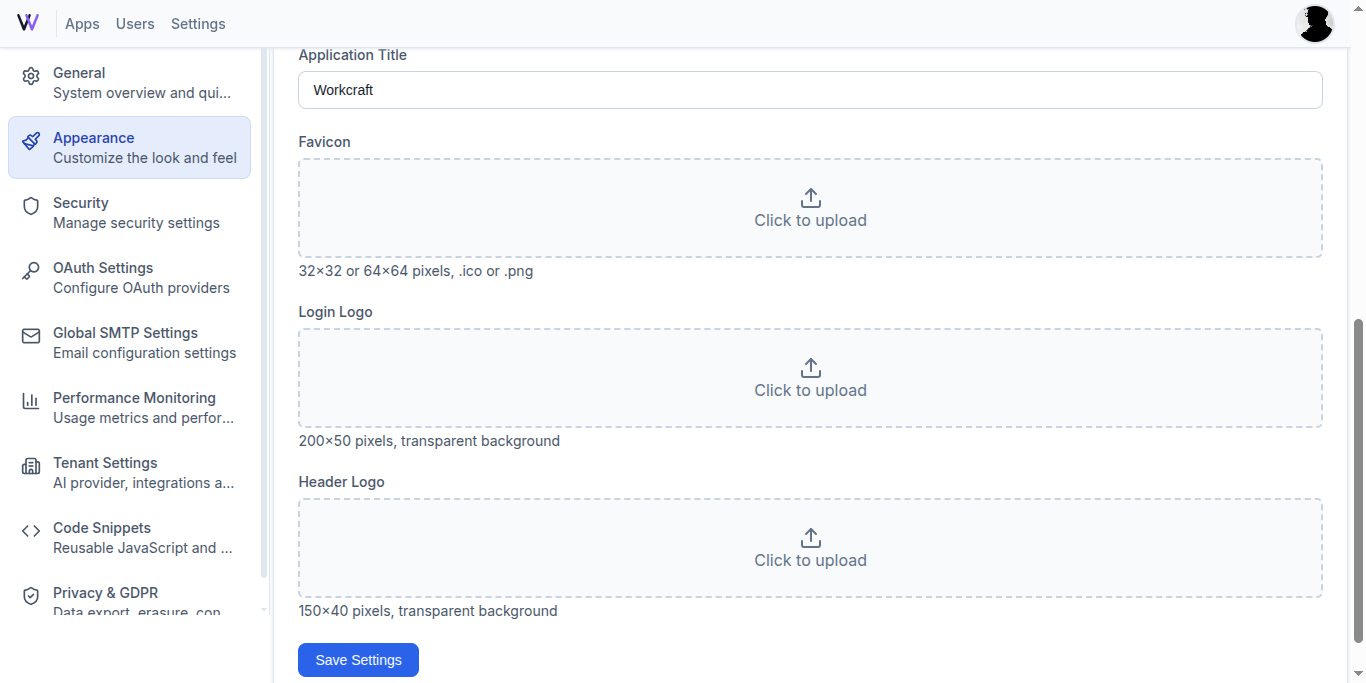
| App appearance | Per-user theme (light/dark), compact mode, sidebar position, fonts; app-level title, favicon, logos, primary color |
| Generated pages | HTML pages follow the app's accent/theme tokens — change the app theme and pages, menus and chrome stay coherent |
| Menu & chrome | Menu colors derive from the app theme; header/footer per app — see Navigation & theme for the builders |
| Tenant profile | Name, subdomain (you.workcraft.app), logo, contact details, default SMTP |
Branding features are plan-gated (Pro+ on cloud) — see Plans & limits.
Locales
Add languages per app or tenant: create locales, set a default, fill translation keys; users pick their preferred locale. New locales beyond the base are plan-gated (Starter+).
- Default locale — the language used when a user hasn't chosen one; set per app or per tenant.
- Translation keys — fill keys for labels, messages and button text; missing keys fall back to the default locale.
- User choice — end users switch language from their profile; the choice is remembered per account.
Announcements
Time-bound banners/marquees inside apps — maintenance notices, launches. Per app: text, colors, schedule, marquee vs static, auto-hide.
Login page studio
The sign-in screen is a designed surface, not a default: pick layout (centered/split/open), logo style (letter tile, image, none), background, accent colors, typography, card width/radius, which options appear (sign-up, forgot password, OAuth buttons, workspace registration), and custom CSS scoped to the page. Preview before saving; affects only your tenant's login.
Security & enterprise identity
- Password policies, 2FA, session timeout, lockouts — tenant security settings (full walkthrough: Security & access).
- OAuth (Google/Microsoft), OIDC/SAML SSO, SCIM provisioning — Enterprise plan.
- Privacy tooling — data export, erasure, consent records, retention policies, breach log, published privacy documents (account admins).
Custom domains & deployment
Managed cloud gives each tenant a subdomain. On self-hosted deployments (available on request — ask for a demo or contact us), you can front the platform with your own domain/reverse proxy — the stack you run is fully yours to brand and secure.