Docs
AI agents & tools
AI agents inside flows, reusable tools and subagents, chat pages and RAG knowledge bases — what they are and how to configure each.
"AI agent" appears in three places in Workcraft, and they're worth separating up front: agent nodes inside automation flows (the primary mechanism — an LLM call embedded in a workflow), subagents a main agent can delegate work to, and Agentic Mode during app creation, where the AI builds and fixes the app itself by calling tools. On top of those sit the conversational surfaces — the floating App Builder assistant and chat pages — which reuse the same machinery. This page walks through each one the way you actually configure it.
An agent inside a flow
The fundamental unit is an AI agent node on the automation canvas. A flow is a chain — trigger, then nodes — and an agent node is one step that sends context to a model and returns its answer to the next node. Because it's a node, everything the platform already does applies: it can read record data passed in by the trigger, template variables into its prompt, and hand its response to a JavaScript or Datastore node downstream.
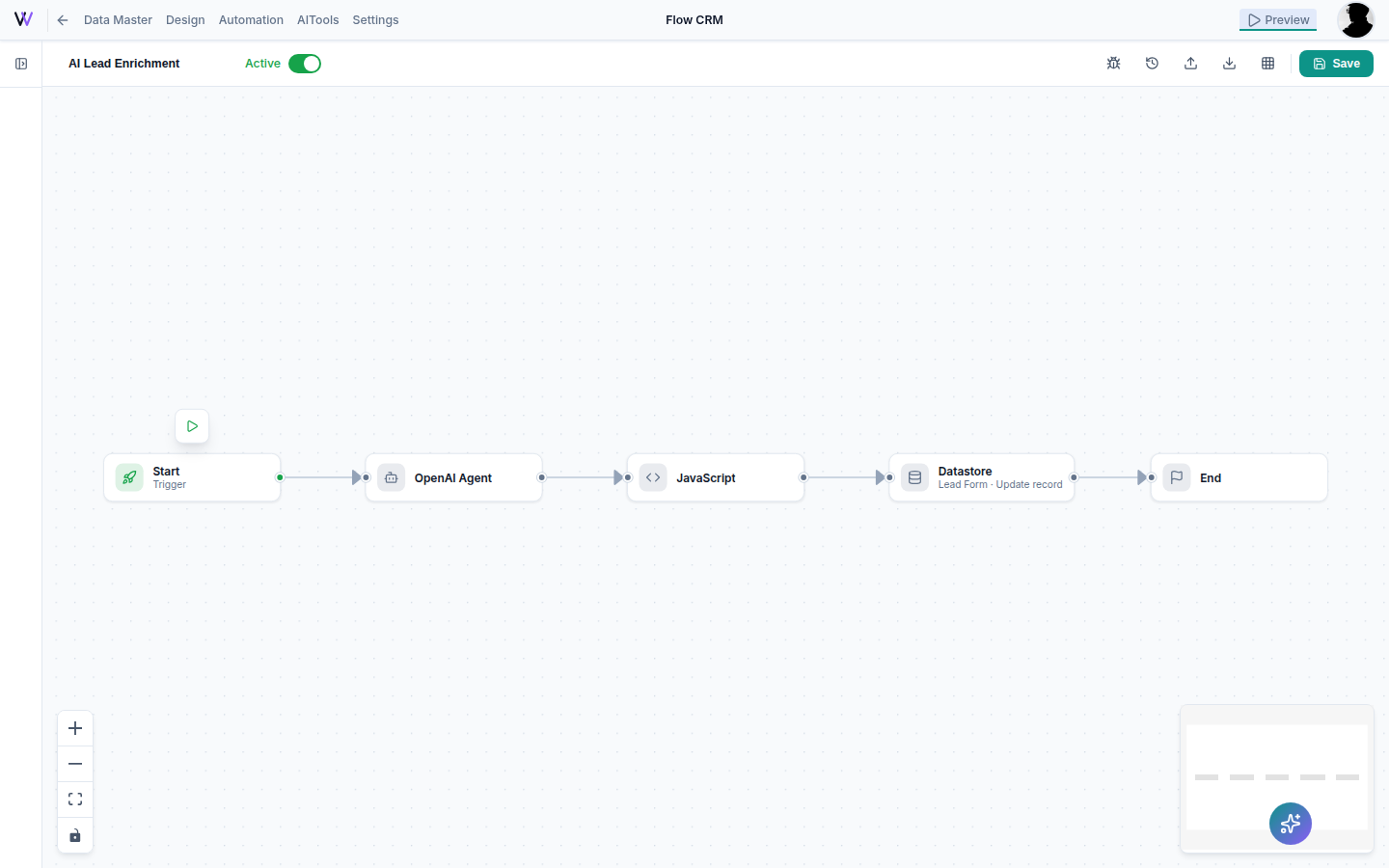
A real example from the demo workspace, AI Lead Enrichment: Start Trigger → OpenAI Agent → JavaScript → Datastore (update record) → End. When a lead record changes, the agent reads the lead's fields, writes a fit summary plus a recommended next action as JSON, the script node parses it, and the record is updated with the result.
Configuring the agent node
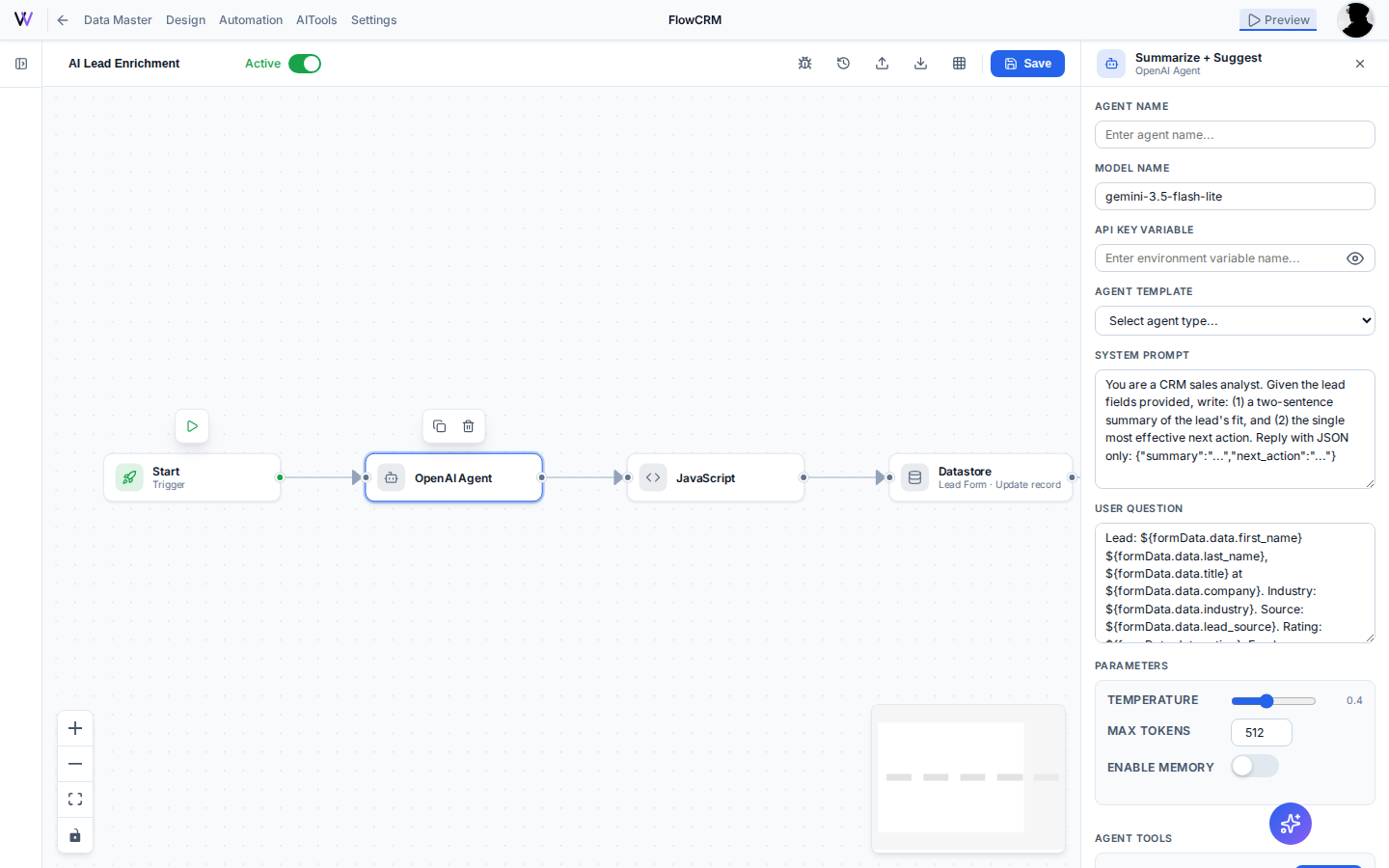
Drop an AI agent node onto the canvas and click it — the config panel opens on the right. Using the OpenAI Agent node from the flow above:
| Field | What it does |
|---|---|
| Agent name | Display label for the node (e.g. "Summarize + Suggest"). |
| Model name | The model to call — the demo uses gemini-3.5-flash-lite; anything the provider serves works. |
| API key variable | Name of an environment variable holding the provider key — so keys live in deployment config, not in the flow. (For Ollama/LM Studio nodes you give an endpoint URL instead of a key.) |
| Agent template | Optional preset that seeds the prompt/parameter fields for common jobs. |
| System prompt | The agent's standing instructions — its role, rules and output contract. The demo agent's prompt says "You are a CRM sales analyst…" and pins the reply format: {"summary":"...","next_action":"..."}. A strict output contract like this is what makes the next node's job easy. |
| User question | The per-run input, with live templating — ${formData.data.first_name}, ${formData.data.company} and so on interpolate the triggering record's values into the prompt each run. |
| Temperature / Max tokens | Creativity vs. cost guardrails — 0.4 and 512 in the demo, i.e. deterministic-ish and short. |
| Enable memory | Carries conversation state between invocations — useful for chat-driven agents, usually left off in record-automation flows. |
| Agent tools | Attach AI Tools (Add tool dropdown lists every tool in the app whose category isn't subagent). |
| Subagents | Attach subagents (Add subagent dropdown lists subagent-category entries — "Only attached subagents will be available for delegation"). |
Provider nodes
The agent node family covers cloud and self-hosted providers; configuration is the same shape, endpoint details differ:
| Provider node | Notes |
|---|---|
| OpenAI agent | GPT-class models; supports connected tools and subagents. |
| Anthropic | Claude via the Messages API. |
| Gemini / Perplexity / OpenRouter / HuggingFace | Cloud model gateways. |
| Ollama / LM Studio | Self-hosted models — point at your endpoint, no cloud key needed. |
The AITools surface
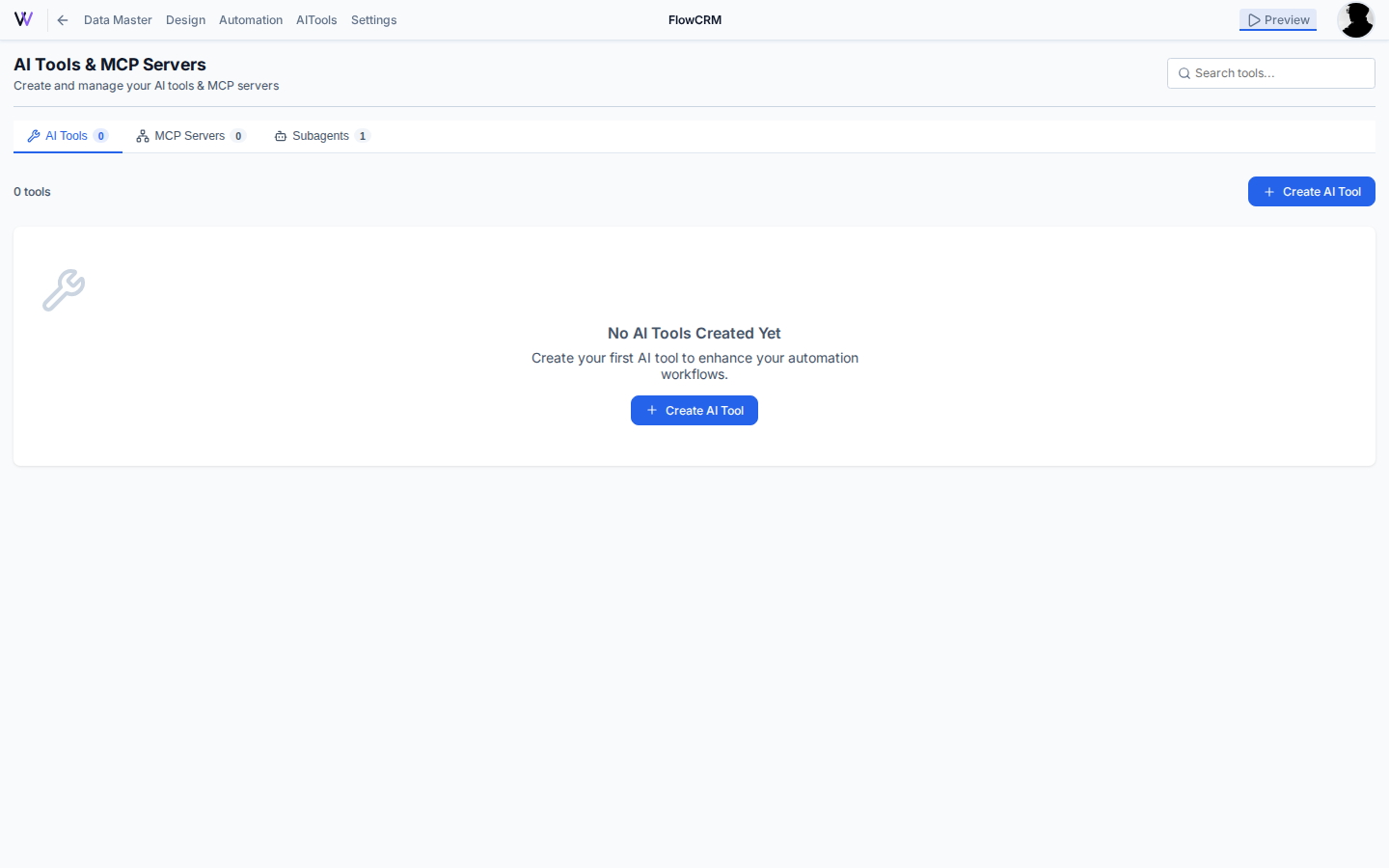
Inside an app, the top nav's AITools tab opens the "AI Tools & MCP Servers" page — three tabs with live counts: AI Tools, MCP Servers, and Subagents. This is where the reusable capabilities agents call are defined.
AI tools
Create AI Tool opens a form with an AI Tool / MCP Tool toggle. A regular AI tool wraps one or more built-in capabilities — you give it a name and description (the description is what the agent reads to decide when to use it — write it for the model, not for humans) and tick Connected Nodes:
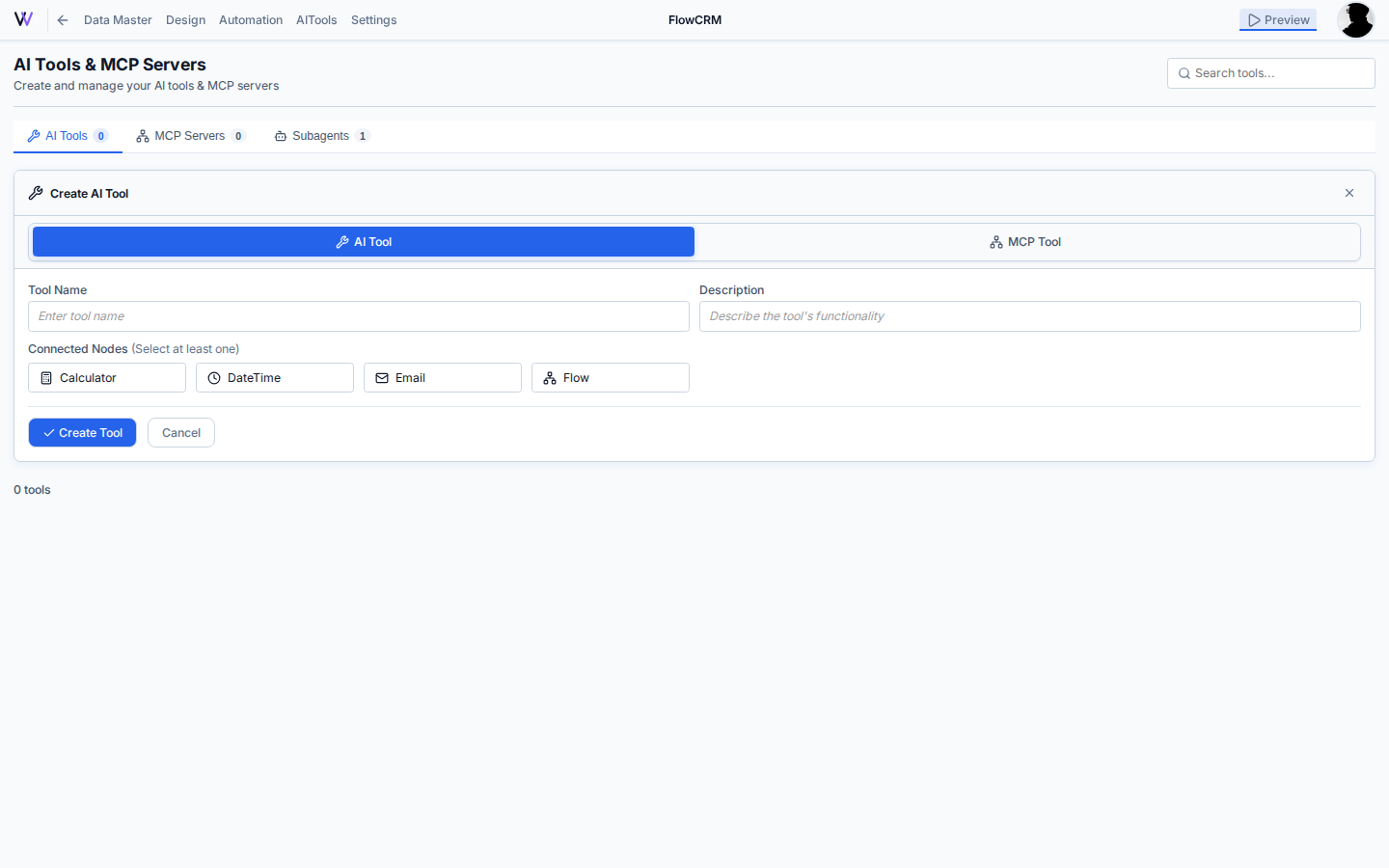
- Calculator — math the model can offload instead of doing in-head.
- DateTime — date/time lookups and arithmetic.
- Email — sends mail through the app's SMTP settings.
- Flow — runs a Workcraft flow as a tool (a flow picker appears when selected) — the escape hatch that lets an agent trigger any automation you can build.
The MCP Tool branch exposes a tool from an external MCP server — covered end-to-end in MCP servers.
Once a tool exists, attach it in the agent node's Agent tools section; at runtime the agent decides per-run whether to invoke it, and its output folds back into the agent's reasoning.
Subagents
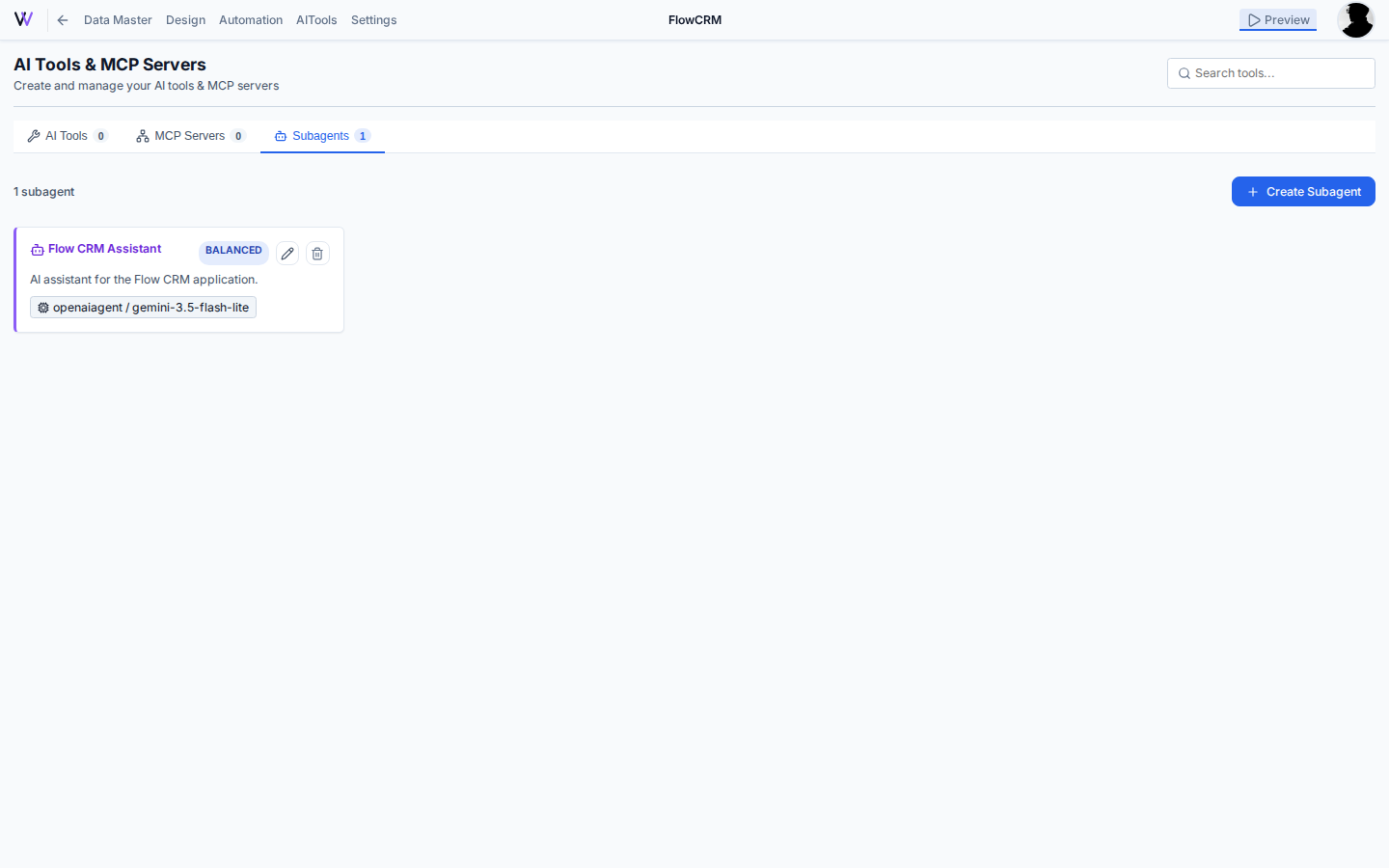
A subagent is a specialist agent the main agent can delegate to — "Research Assistant", "Code reviewer" — each with its own model, prompt and tool budget. The Subagents tab lists them (the demo has one: Flow CRM Assistant, an openaiagent on gemini-3.5-flash-lite, balanced tier).
Create Subagent fields:
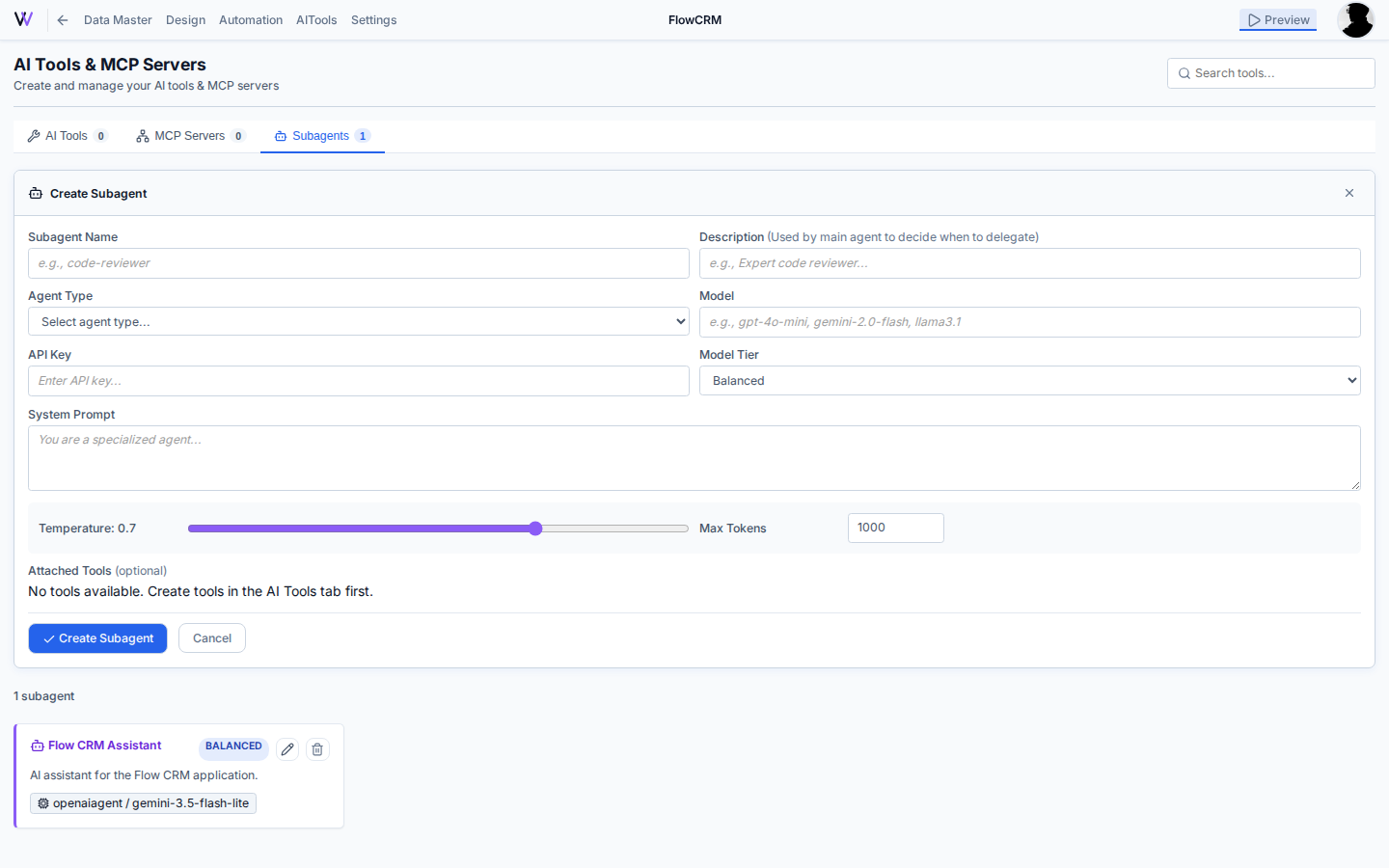
- Name + Description — the description is explicitly "used by the main agent to decide when to delegate", so describe the specialist's job precisely.
- Agent type — OpenAI, Ollama, LM Studio, Gemini, Perplexity or HuggingFace.
- Model / endpoint / API key — model name (e.g.
gpt-4o-mini,llama3.1); endpoint URL for Ollama (http://localhost:11434) or LM Studio (http://localhost:1234); API key field for cloud providers. - Model tier — fast (cheaper, simple tasks), balanced, or powerful.
- System prompt, temperature (0–1), max tokens (100–8000) — same semantics as the agent node.
- Attached tools — optional; the tool set this subagent may call while doing its part.
Delegation works like this: subagents attached to a main agent get their names and descriptions injected into its prompt, plus a Task mechanism it can call. When the main agent delegates, the subagent runs its own model/prompt/tools — its attached tools are appended to its system prompt — and its answer returns to the main agent as a tool result. Subagent records also carry memory and timeout settings.
Agentic Mode — the AI that builds the app
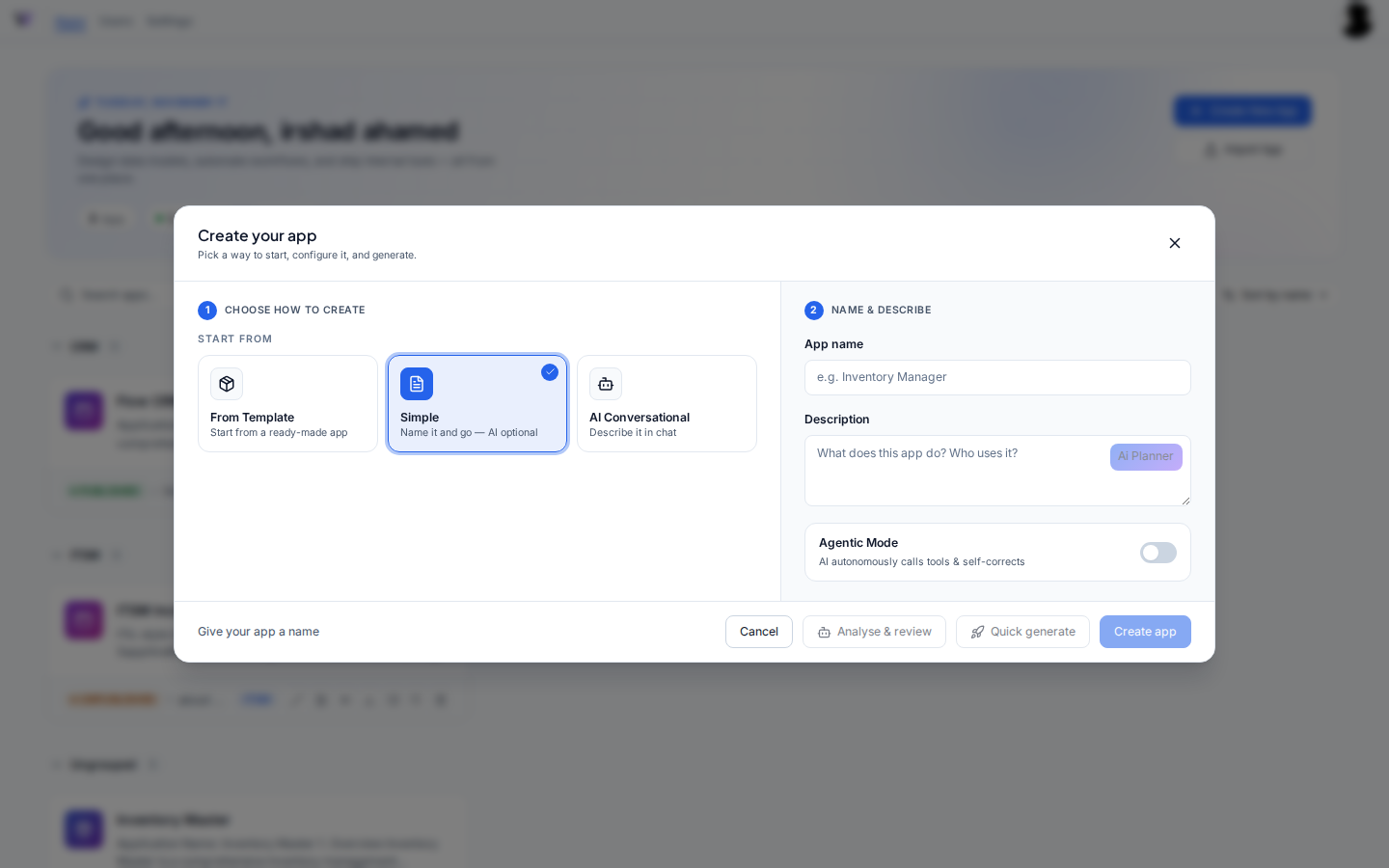
The third meaning of "agent" is the app generator itself. Every create-app mode (From Template, Simple, AI Conversational) offers an Agentic Mode toggle — "AI autonomously calls tools & self-corrects". With it on, generation runs as an autonomous tool-calling agent that plans, builds, inspects its own output and retries failed steps, instead of a fixed pipeline.
Related but different: the floating App Builder assistant inside the designer edits an existing app conversationally — Ask mode answers questions, Build mode applies changes immediately (with a Revert fallback). See AI app generation.
Chat surfaces
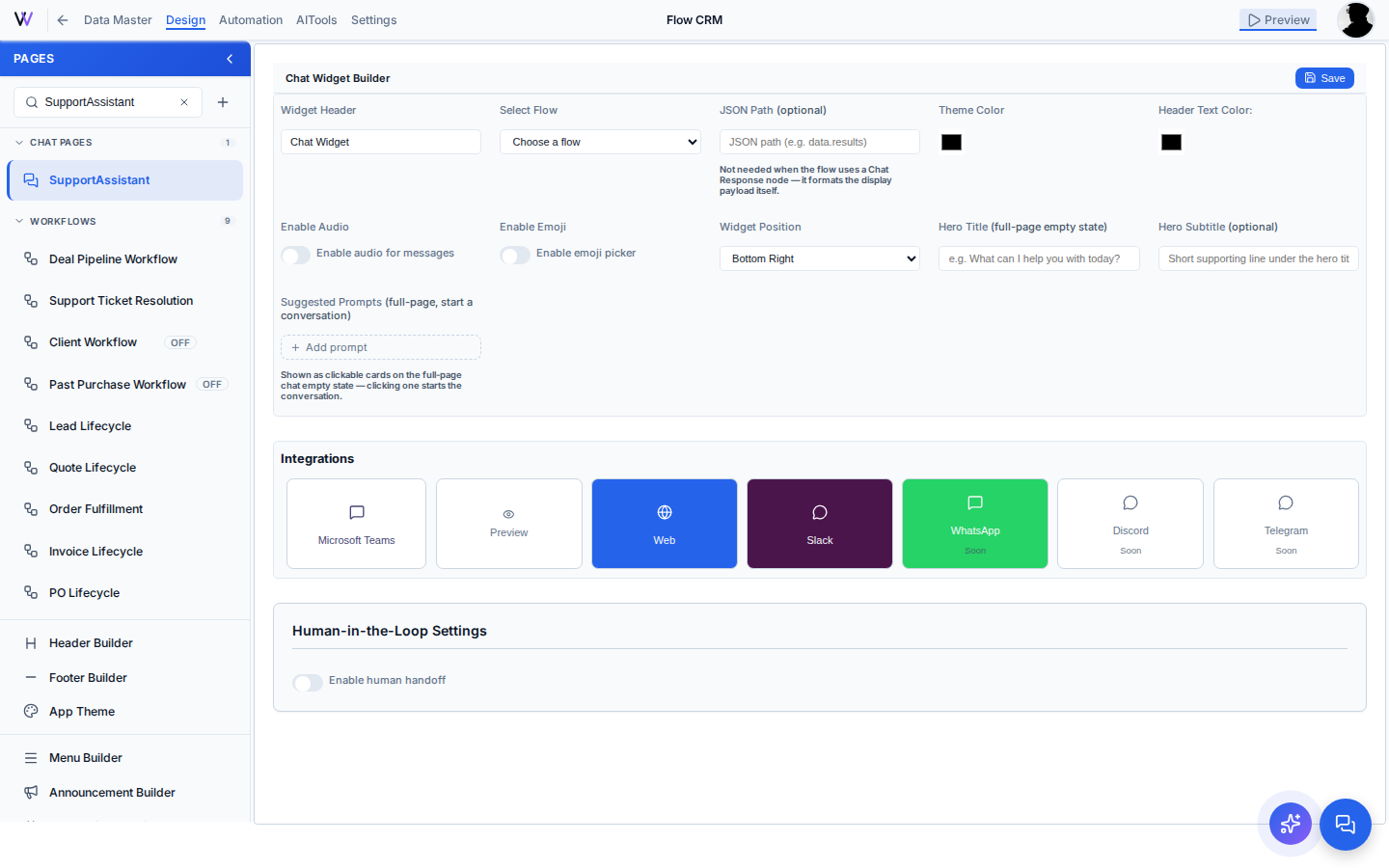
Agent flows are consumable through UI surfaces: a Chat page (full-page assistant bound to a flow), the chat widget (floating bubble, same backing flow, shared history), the chat inbox (support desk with human agents and AI handoff), and channel chats from Slack/Teams. Conversations persist per user across surfaces.
RAG knowledge bases
Flows can also ground agents in your documents: documentupload, embedding, vectordb and rag nodes index content and answer questions against it — "ask our product docs" agents. On Pro+ plans the platform's own RAG can ground the AI assistant in your app structure.
Watching agents run
Every agent execution is logged to an activity record — which agent ran, the user's input, the response, any tool calls it made, duration and success/error status — so you can audit what the model actually did per run. Flow-level history and the debug timeline in the designer cover the surrounding automation.
Review approval for destructive actions
When an AI assistant (or an agent flow) proposes a destructive operation — deleting records, dropping data, or changing structure — it doesn't run it silently. Instead it presents an approval card in the conversation: the proposed action, what it affects, and accept/reject buttons. The user decides; nothing happens until they approve. Options are configured server-side, so the assistant can't bypass the gate.
Structured interaction cards
Assistant replies can include structured cards — decision prompts, validation results, change summaries — that render as interactive UI inside the chat rather than plain text. Users can act on them (pick an option, confirm a change) without leaving the conversation.
Plan note: AI app generation is on all plans with a monthly quota; AI agent nodes and RAG are Pro+. Subagents and MCP tools follow the agent node's entitlement.