Workcraft in Action
Build powerful business applications with drag-and-drop simplicity. No coding required.
AI AppGen
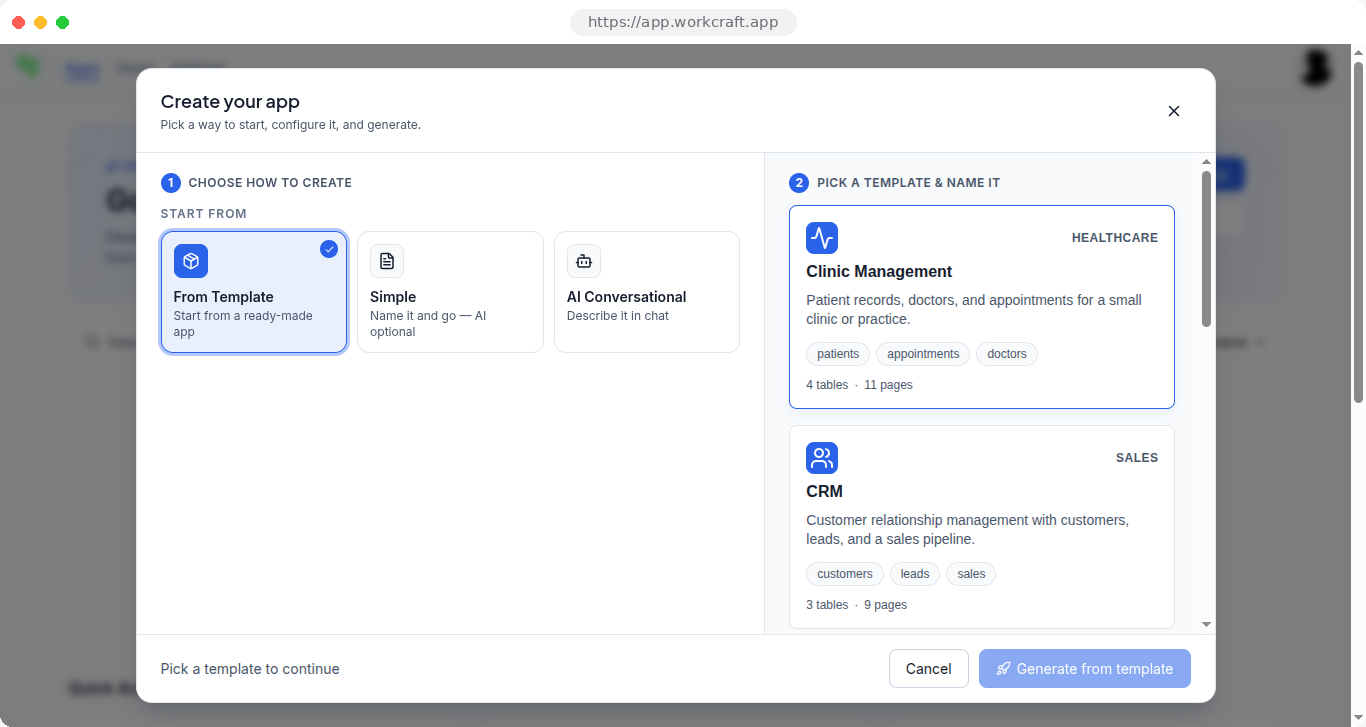
Generate complete applications from natural language prompts. Describe what you want to build, and Workcraft creates fully functional apps with forms, workflows, and data models in seconds.
AI Agents Builder
Create intelligent AI agents that can analyze data, make decisions, and take actions autonomously. Build conversational AI, automation agents, and intelligent assistants with no-code simplicity.
Visual App Builder
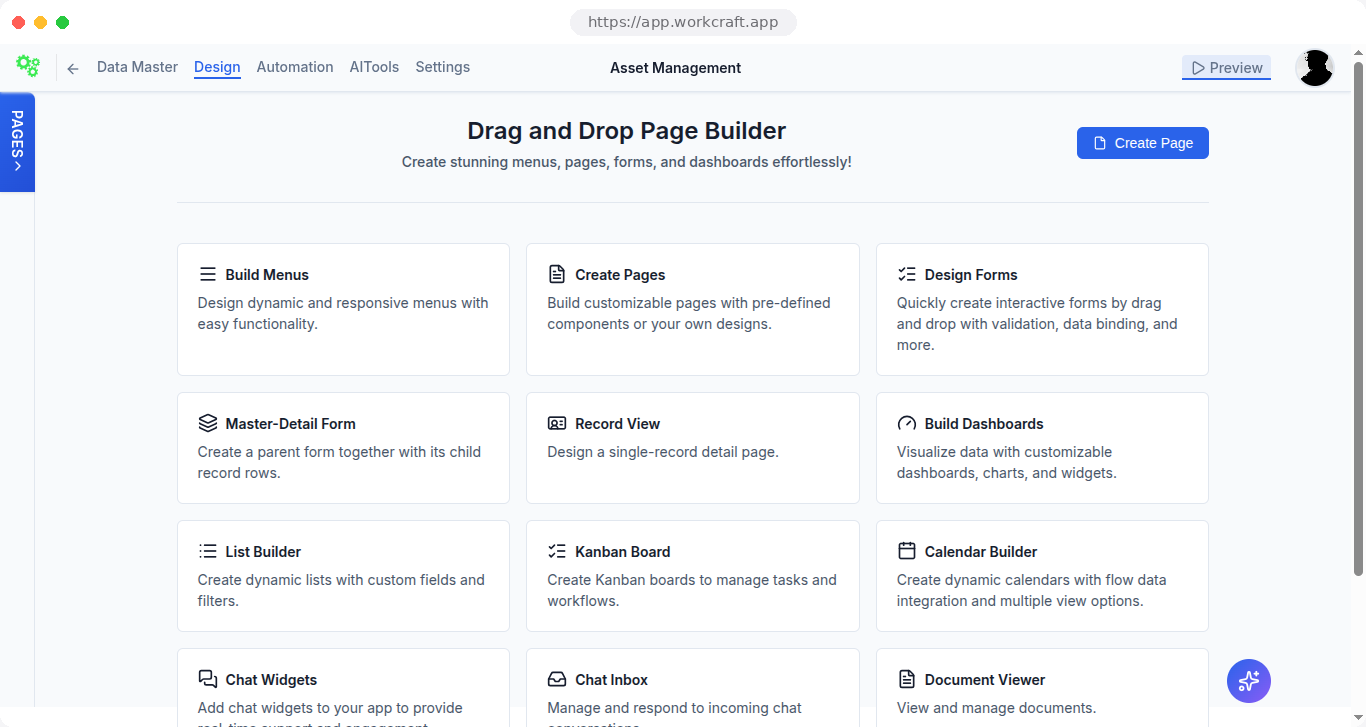
Drag-and-drop interface for building complete applications. Create forms, lists, dashboards, and custom pages with real-time preview. No coding required—just drag, drop, and deploy.
Workflow Automation
Design and execute complex business processes with visual flow builder. Schedule tasks, automate approvals, trigger actions, and integrate with external systems.
Data Integration Hub
Connect to 20+ data sources: MongoDB, MySQL, PostgreSQL, SQL Server, REST APIs, Google Sheets, Salesforce, Stripe, HubSpot, Zendesk, and more. Unified data access across your entire stack.
Security & Access Control
Role-based access control, SSO/SAML, audit logs, IP whitelisting, and credential encryption — with complete tenant isolation for multi-tenant deployments. Security hardening in progress.
How Workcraft Compares
One platform instead of three — internal tools, app building, and workflow automation together
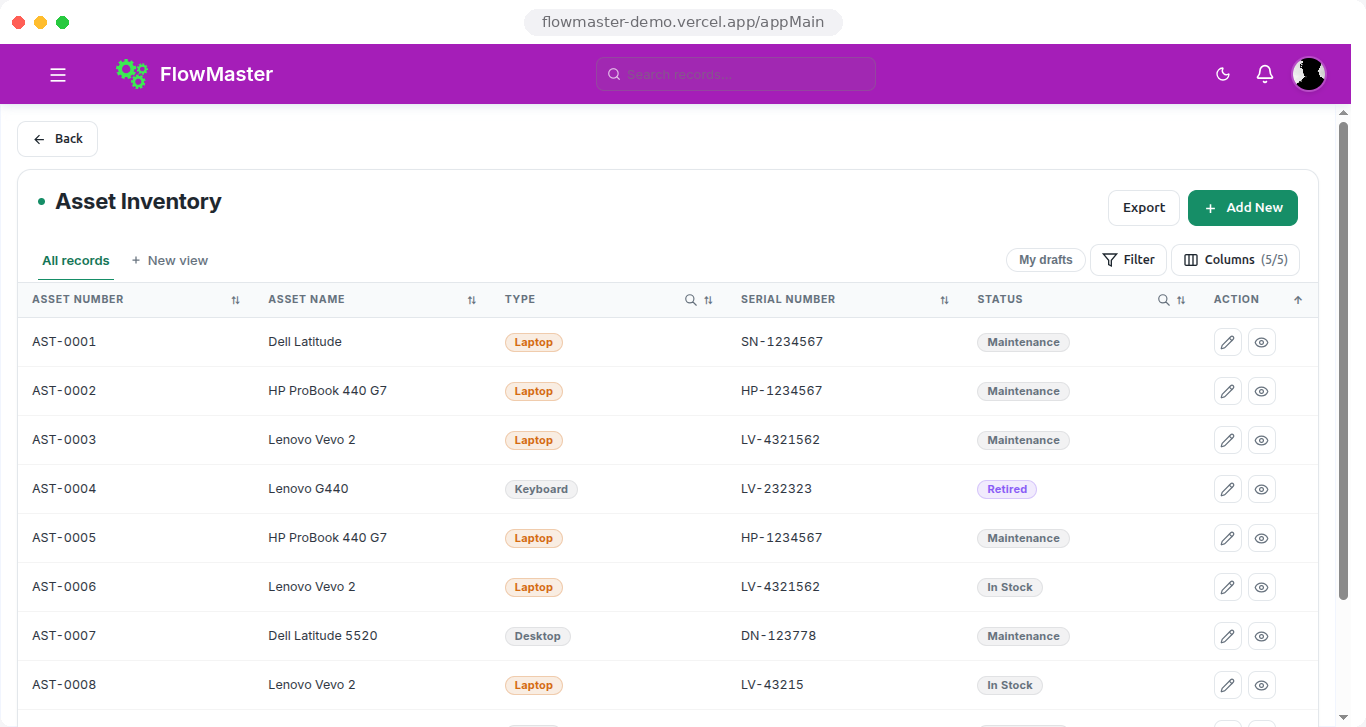
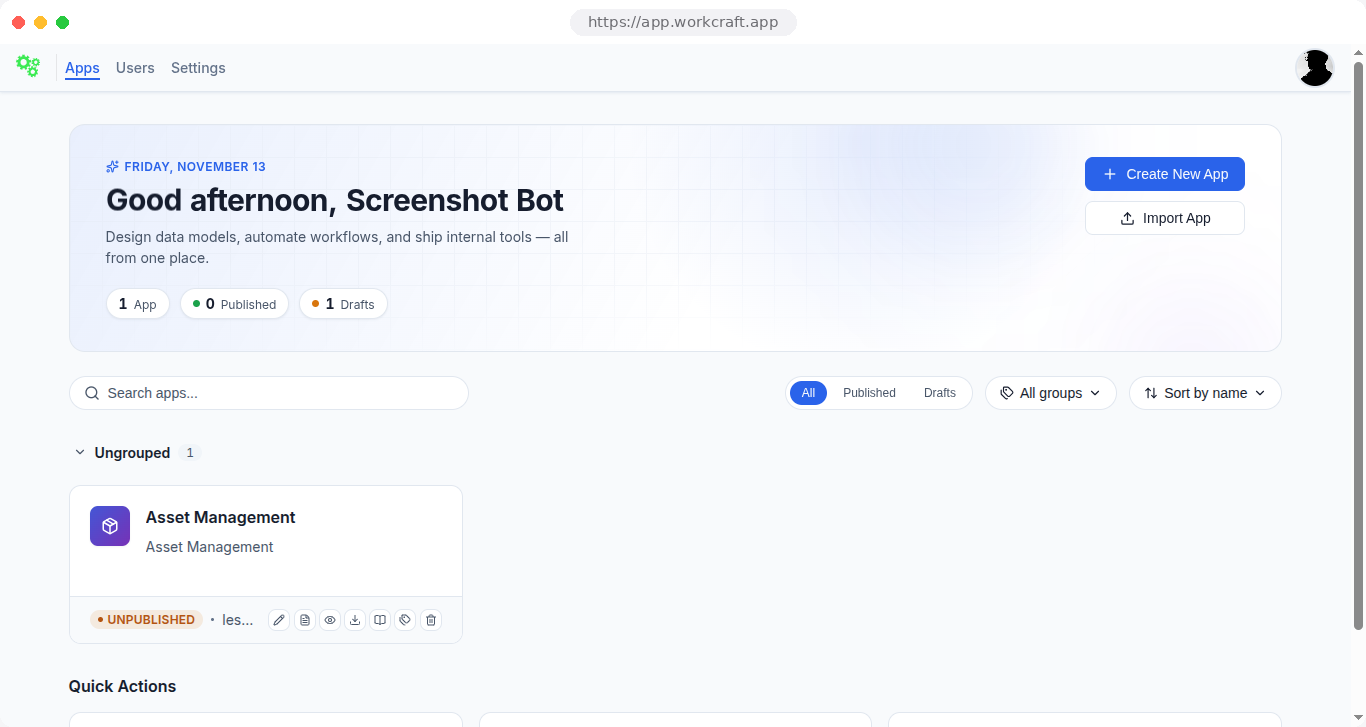
The real product.
Not a mockup.
Every image below is a live screen from the Workcraft demo workspace — the same UI your team gets on day one.
Built for Every Team
The platform for every use case—from AI-powered workflows to data-driven dashboards.
For AI & LLMs
Build agents, workflows, and apps with the power of AI. Create content moderation tools, document processing workflows, custom agents, and model performance monitors.
- AI Agents Builder
- Content Moderation
- Document Processing
- Model Monitoring
For Data Teams
Transform raw data into actionable insights. Build apps that read and write from your data sources using SQL. Create interactive dashboards, admin panels, and data quality monitoring systems.
- SQL-Based Dashboards
- Data Quality Monitoring
- Customer Insights Views
- Experiment Tracking
For Operations Teams
Streamline processes and reduce manual work. Build software solutions that were previously out of reach—from HR calibration tools to inventory management systems and custom workflows.
- HR Management Tools
- Inventory Management
- Custom Workflows
- Process Automation
For Support Teams
Drive customer success with effective tools. Build internal software to triage tickets, track common issues, and manage knowledge bases—all without engineering bottlenecks.
- Ticket Triage Systems
- Knowledge Base Management
- AI-Powered Support
- Audit & Compliance
See Workcraft in Action
Watch how modern teams ship AI-native software from prompt to production
Visual Flow Builder for AI Agents & Automation
The real canvas — wire AI agents, conditions, sub-flows, and data operations by drag and drop
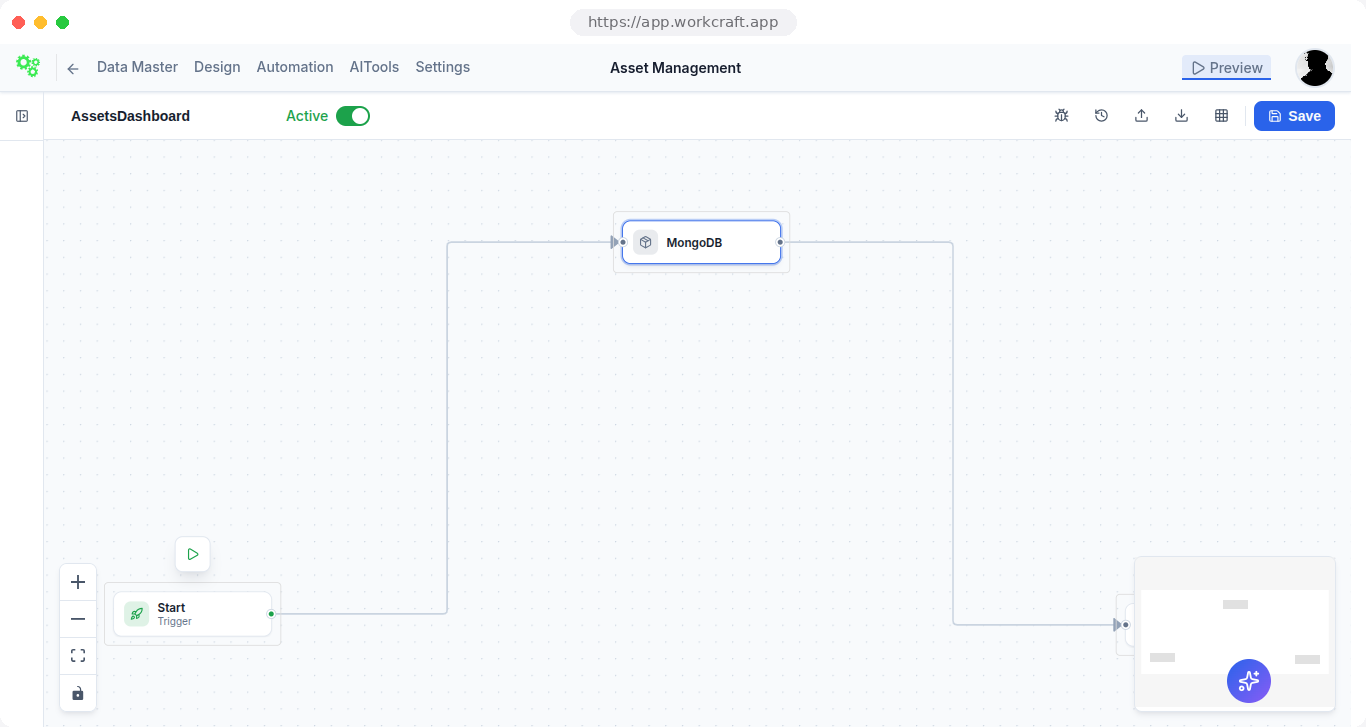
Live screen: the AiAssistant flow in the demo workspace — chat inputs, condition branches, an AI agent, and a sub-flow on one canvas.
MongoDB Operations
Find, Insert, Update, Delete, Aggregate queries
AI Agent Integration
OpenAI, Gemini, Ollama, and more AI providers
Visual Flow Builder
Drag-and-drop nodes, connect with ease
Natural Language Prompt
Describe what you want to build
AI App Generation
Watch Workcraft create your app
Customize & Deploy
Fine-tune and go live instantly
Security & Multi-Tenancy
Tenant isolation, role-based access control, and audit trails — with security hardening in progress.
SOC 2-Aligned Controls
Formal audit planned
ISO 27001 Alignment
Roadmap
Credential Encryption
Connection secrets and credentials are encrypted at rest; serve Workcraft over HTTPS for encryption in transit.
SSO/SAML Support
Single sign-on with SAML 2.0, OAuth 2.0, and Google OAuth integration for seamless authentication.
Audit Logs
Comprehensive audit trails tracking all user actions, data access, and system changes for compliance.
IP Whitelisting
Restrict access to specific IP addresses or ranges for enhanced network security.
Data Residency
Self-host on request — deploy Workcraft in your own region or infrastructure; you choose where your data lives.
Role-Based Access Control
Fine-grained permissions with custom roles, user groups, and resource-level access control.
Multi-Tenancy
Complete tenant isolation with separate data, users, and configurations. Perfect for SaaS providers and enterprise deployments.
ISOLATIONRole-Based Access
Fine-grained access control with roles and permissions. Secure your applications with JWT authentication and Google OAuth.
SECURITYData Protection
Secure data handling with encrypted connections, password policies, and comprehensive audit trails for compliance.
COMPLIANCEAn End-to-End Platform
Everything you need to build, deploy, and manage enterprise applications.
Page Builder
Drag-and-drop interface for forms, lists, dashboards, and custom pages
Workflow Builder
Visual flow designer with AI-powered generation and scheduling
AI Agents Builder
Create intelligent AI agents with conversational interfaces and autonomous decision-making
Data Sources
Connect to MongoDB, MySQL, PostgreSQL, SQL Server, REST APIs, and Google Sheets
AI Assistant
Generate forms and workflows using natural language prompts
Multi-Tenant
Complete tenant isolation with separate configurations and data
Comprehensive Platform Capabilities
Everything you need to build, deploy, and manage business applications in one platform.
Application Management
Create, edit, duplicate, and manage multiple applications. Import/export functionality and template-based creation.
Automation & Scheduling
Schedule workflows with cron, interval, daily, weekly, and one-time triggers. Real-time execution and monitoring.
AI Agents & Automation
Build intelligent AI agents that can process data, make decisions, handle conversations, and execute complex tasks autonomously.
UI Components
Build headers, footers, menus, and announcements. Customize themes and responsive layouts.
Document Management
View, manage, and organize documents. PDF generation and document viewer integration.
Microsoft Teams
Integrate with Microsoft Teams bot for chat-based interactions and workflow execution.
Simple, Transparent Pricing
Four plans that match what the platform actually enforces. Start free — in our cloud, or self-hosted on request.
Free
For individuals and small teams getting started
- ✓ Cloud, or self-hosted on request
- ✓ Up to 5 users
- ✓ 2 applications
- ✓ 5 workflows per app
- ✓ 25 AI generations / month
- ✓ Community support
Starter
For growing teams that need integrations and schedules
- ✓ Everything in Free
- ✓ Up to 25 users
- ✓ 10 applications
- ✓ 25 workflows per app
- ✓ Slack & Teams integrations, scheduled flows
- ✓ 250 AI generations / month
Pro
For teams running production apps and advanced workflows
- ✓ Everything in Starter
- ✓ Up to 100 users
- ✓ 50 applications
- ✓ 100 workflows per app
- ✓ Enterprise connectors, audit logs, environments & versioning
- ✓ 2,000 AI generations / month
Enterprise
For large organizations with advanced requirements
- ✓ Everything in Pro
- ✓ Unlimited users, apps & workflows
- ✓ SSO/SAML & SCIM provisioning
- ✓ Custom feature limits
- ✓ On-premise or managed cloud
- ✓ Dedicated support
Developers & Business Teams
One platform that works for both technical and non-technical teams
Code Examples & API Docs
Comprehensive REST API documentation with code samples in multiple languages. Integrate Workcraft into your existing development workflow.
- REST API reference
- Code samples (JavaScript, Python, Java)
- Webhook integration
Version Control & CI/CD
Version control your application configurations with Git. Export and import configurations, collaborate with your team, and integrate with CI/CD pipelines.
- Git-based configuration versioning
- Import/export functionality
- CI/CD pipeline integration
- Team collaboration tools
Open Architecture
Built with Spring Boot and Vue.js. Self-host on your infrastructure (package on request) or deploy to any cloud. Full control over your data and deployments.
- Docker & Kubernetes — self-host package on request
- On-premise deployment
- Cloud agnostic
- Flexible deployment options
ROI Calculator
See how much time and money your team can save. Calculate your return on investment with our built-in ROI calculator.
- Time-to-value metrics
- Cost savings analysis
- Development time reduction
- ROI projections
No-Code Guarantee
Build powerful applications without writing a single line of code. Visual builders, drag-and-drop interfaces, and AI-powered generation.
- Drag-and-drop builders
- Natural language app generation
- Pre-built templates
- Business user friendly
Use Case Library
See what teams can build with Workcraft — internal tools, dashboards, approval workflows, and AI-powered apps.
- Use case examples
- Best practices
- Template gallery
- Getting-started guides
Start Building Your Applications Today
Join teams building powerful business applications without coding. Get a demo workspace — 7 days of full access, then keep building on Free.
Request received
Thanks! If your request can be fulfilled, you'll receive an email shortly.
Everything You Need to Get Started
Documentation, tutorials, templates, and community resources to help you build faster
Quick Start Guide
Get up and running in minutes with our step-by-step getting started guide.
View Guide →Documentation
Guides for every builder, the automation engine, workflows, and AI generation.
Browse Docs →Page Builders
Every visual builder — forms, lists, dashboards, kanban, calendar, chat — and how they bind to data.
Explore Builders →Automation Flows
Design node-based automations — schedules, webhooks, AI steps, and 40+ integrations.
Learn Flows →Workflows
Model approvals and record lifecycles with stages, transitions, assignees, and SLAs.
Explore Workflows →AI App Generation
Describe an app in plain language and get a validated scaffold — data, pages, roles, and menu.
See How It Works →Workcraft vs the point tools
One platform instead of four — honest comparisons with the specialists teams evaluate alongside us.
All comparisons
Workcraft vs Retool, Bubble, Appsmith, and n8n — where each tool wins and where Workcraft fits.
See Comparisons →Workcraft vs Retool
Internal tools, full apps, and automations in one self-hostable agentic platform.
Compare →Workcraft vs Appsmith
The open-source internal-tool builder vs an all-in-one app platform.
Compare →Workcraft vs Bubble
Self-hostable agentic app platform with native multi-tenancy vs the no-code veteran.
Compare →Workcraft vs n8n
Automation where the app lives — a flow engine inside a full app platform.
Compare →