Docs
AI app generation
Describe an app in plain language and scaffold it in stages — requirements, planning, data sources, pages, roles, validation.
Describe the app you want in plain language and Workcraft scaffolds the whole structure — data sources, pages, roles, menu, header/footer and suggested flows — then validates it before saving. Everything it produces stays editable. (Not sure you need AI? The Create app dialog also offers a From Template gallery of ready-made apps and a Simple blank start — see Getting started.)
How it works
- Describe — name the app and say what it does, who uses it, and what entities/workflows matter. More detail = better output; naming roles, statuses and lookup values explicitly helps a lot.
- Review the spec — Workcraft analyzes the request into a structured spec (entities, pages, roles, flows). Review and refine it before generation commits.
- Generation runs in stages — requirements → planning → data sources → pages → roles → menu → header/footer → validation. Progress streams live; you can cancel.
- Validation & repair — automated checks catch broken references and missing pages; repair passes fix what's fixable. Generation can complete with issues flagged rather than failing outright.
- Runtime persona verification — after generation, the pipeline runs the app as each generated role to confirm pages render, permissions hold and key flows work end-to-end. Issues found are surfaced for review rather than silently shipped.
- Explore & edit — the result is a normal app: every table, page, flow and role opens in its regular builder.
What a generation produces
- Data tables — entities with typed columns, lookup tables for statuses/categories, ref relationships, sample data seeded.
- Pages — forms, lists, record views, a dashboard and often kanban/calendar views matched to each entity's nature, plus HTML landing/detail pages.
- Roles & menu — role set from your description, navigation with icons, default route.
- Suggested flows — form-submit notifications, scheduled digests, webhook syncs matching your description.
- Workflows — stage definitions for entities with lifecycles (approvals, pipelines).
Writing a good prompt
- Name the domain and entities: "a leave management system for a school" beats "an HR app".
- List roles explicitly: "Admin, HR Manager, Employee".
- Define statuses/lookups: "leave types: Annual, Sick; statuses: Pending, Approved, Rejected".
- Mention processes: "managers approve leave; employees see their balance".
- Reference an existing app if you want a variant ("based on my Asset Tracker app").
Editing apps in chat
The AI assistant also edits existing apps conversationally: "add a priority field to the Requests form", "create a page listing overdue invoices", "rebuild the menu with an Admin section". Changes go through the same builders' structures and you can revert a chat turn (snapshot restore) if it goes wrong.
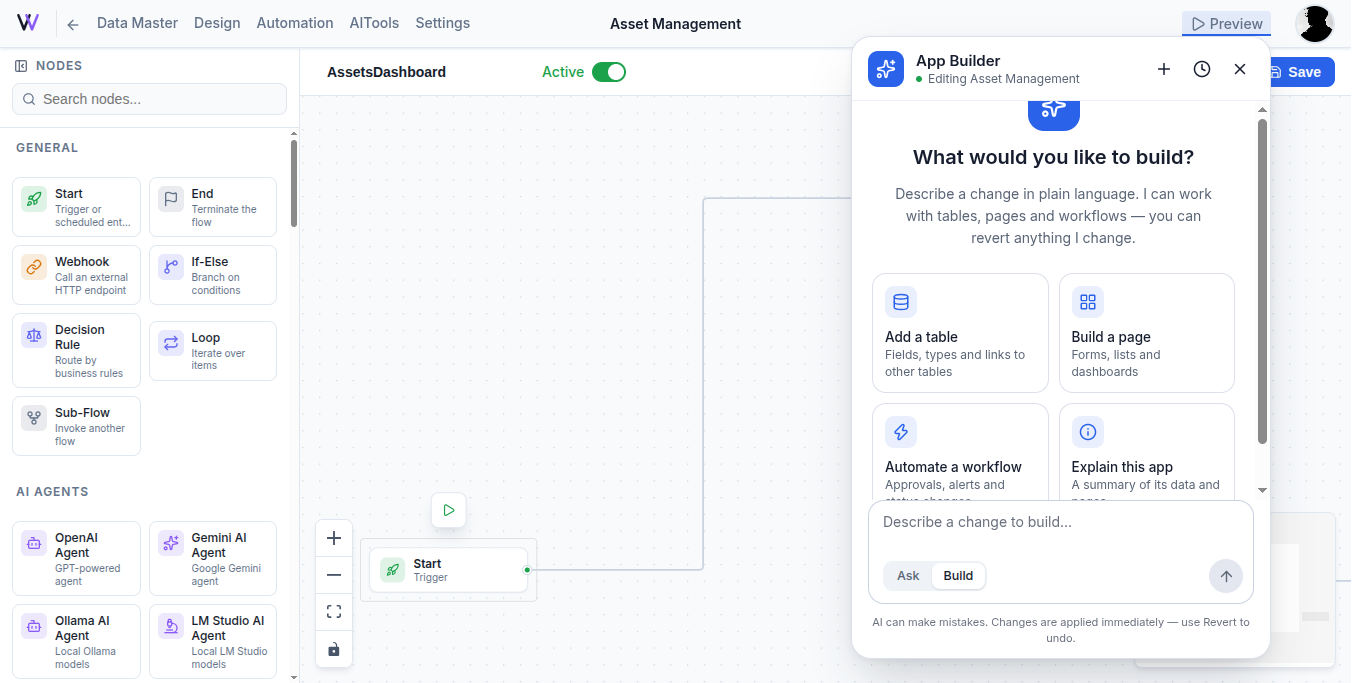
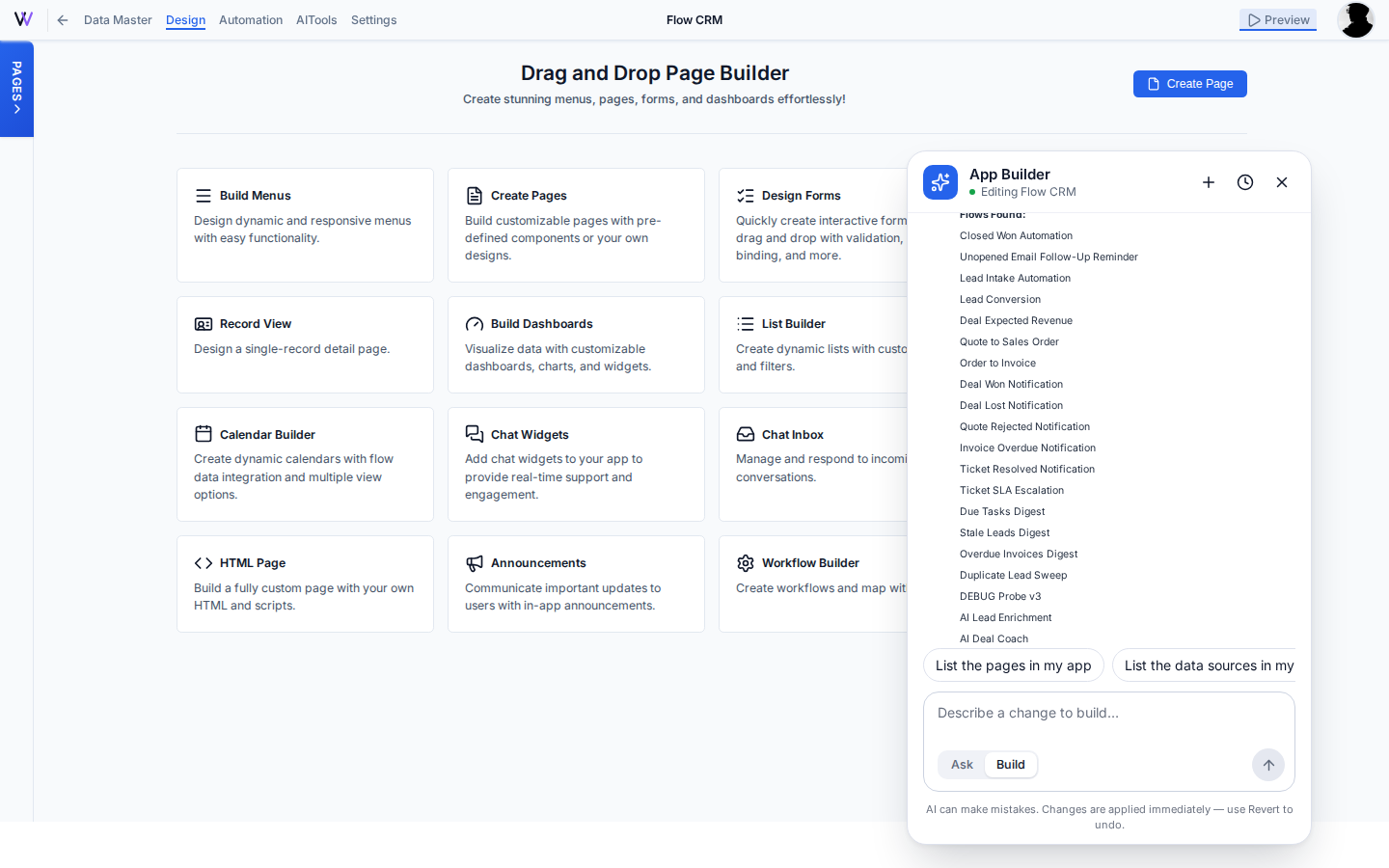
Inside the page designer, flow builder and data views, a floating AI App Builder button opens the same assistant as a side panel. Pick Ask mode for questions about your app ("which pages use the Requests form?") or Build mode to describe a change for it to apply. Starter cards and suggestion chips offer common tasks; each applied chat turn can be undone with Revert, which restores the app to its state before that message.
AI inside your app
Generation is the scaffold; runtime AI is separate — agent nodes in flows, tools, subagents, MCP and RAG. See AI agents & tools.
Plan note: AI generation has a monthly quota per plan; AI nodes/RAG are Pro+. See Plans & limits.
If generation goes wrong
- Missing/odd pages — add them manually; every entity needs form + view + record view.
- Wrong field names — rename in the form/table builders; list columns track form fields.
- Broken links — menu routes and page references resolve by ID; rebuild the menu if links dangle.
- Start over — regenerate, or revert chat edits; worst case, export/import around the problem.