Blog · 2026-11-25
Auth in Workcraft: Sessions, Per-Tenant Sign-In, and Roles That Actually Bite
One token, one signer, a five-gate login gauntlet, per-tenant SSO — and per-app roles whose row-level filter runs inside the database query, not the UI.
In the last post we followed a request through tenant resolution — how Workcraft decides whose workspace a call belongs to. This one is the layer above it: how the platform decides who you are, and then what you're allowed to touch inside the app you just opened. There are three separate questions, and Workcraft answers them at three different layers — conflating them is where most hand-rolled auth goes wrong.
One token, one signer, no drift
Every Workcraft session is a signed bearer token — the platform runs stateless; there is no server-side session table to expire or leak. What matters is that a single component owns token minting for the whole platform: password logins, OAuth sign-ins, and SAML SSO all produce tokens signed by the same key with the same algorithm, and the request validator is pinned to that exact algorithm. That sounds obvious, but "issuer and validator disagree about the algorithm" is a real class of production outage — the fix here is structural: there's only one way to mint a token, so the two sides can't drift.
Two properties of the session token are worth knowing:
- It expires in 24 hours. Fixed validity, no sliding renewal — when it dies, you sign in again.
- It carries identity, not permissions. The token says who you are and (for password logins) which tenant you authenticated into. Your rights are re-resolved from your user record on the requests that need them — which is why disabling a user or pulling their role takes effect without waiting for their token to die.
The login path is a gauntlet, not a form
Signing in with a password walks a sequence of gates, in order:
- Workspace gate. The tenant has to exist, be approved, and be active. Pending or deactivated workspaces bounce the login before the password is even checked.
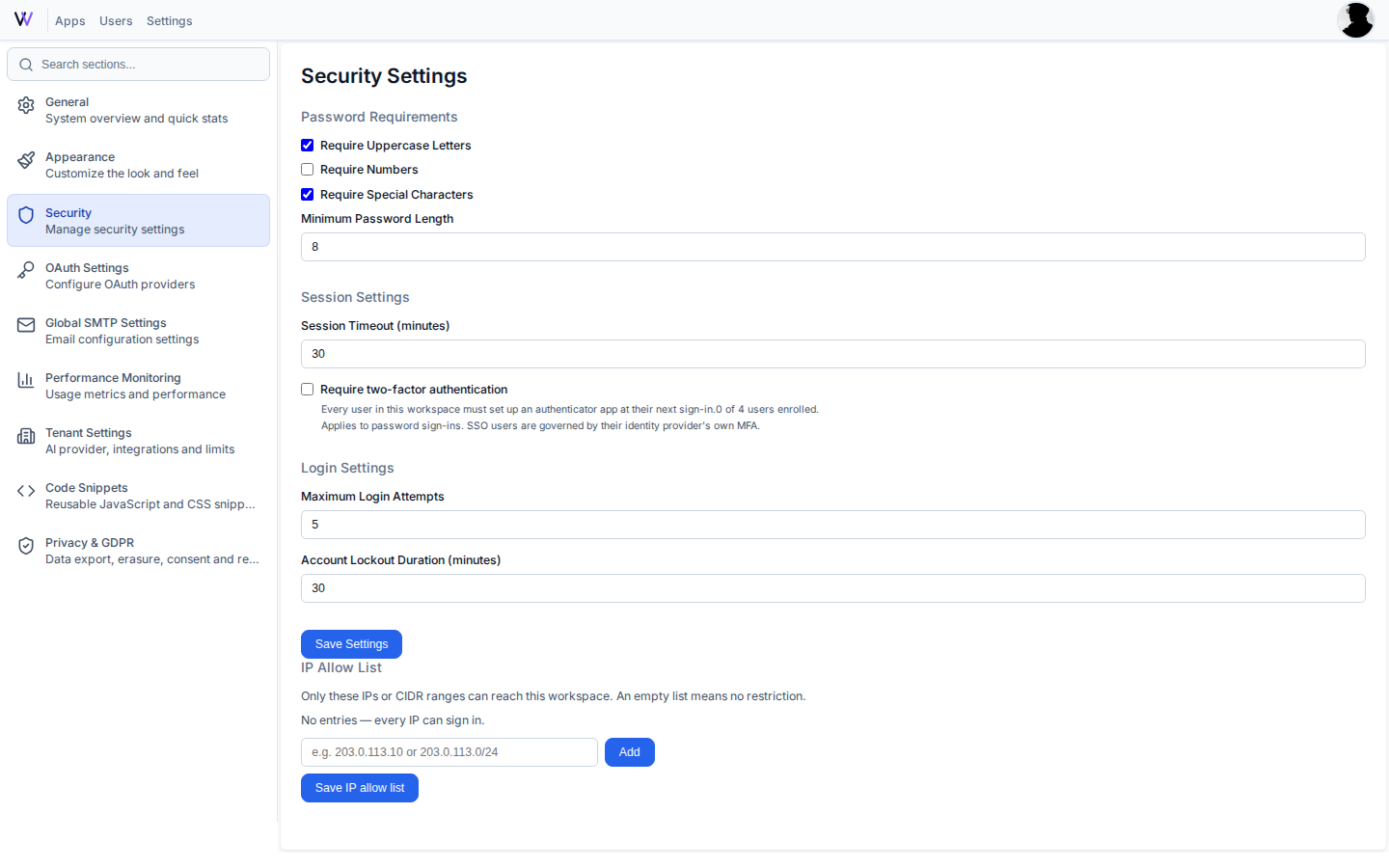
- Lockout gate. Too many recent failed attempts on the account and the request is refused outright — the threshold and lockout duration are admin-configurable (defaults: 5 attempts, 30 minutes).
- Password check. Only now is the credential verified. A failure increments the counter; hitting the limit locks the account for the configured duration. A success resets it.
- The MFA step-up. If the workspace enforces two-factor, you don't get a session yet — you get a pending token. It's a deliberately crippled credential: short-lived (10 minutes), marked so the request validator actively rejects it as a session, and only good for the verification step. Enrolled users verify an authenticator-app code; unenrolled users are pushed through setup first. No session exists until the second factor verifies.
- Session. Pass all of that and the platform mints the real 24-hour token — issued under your canonical username, so signing in with your email and signing in with your username produce the same identity downstream.
The MFA details hold up under scrutiny: the authenticator secret is shown once at setup, stored encrypted on the user record, verified as standard TOTP (with a small clock-skew window), and recovery codes are stored as hashes — losing your authenticator without a saved recovery code means an admin reset, not a database leak.
Sign-in is per tenant, on purpose
From the outside, every workspace can look like a different product — because sign-in is configured per tenant. Each tenant can wire up its own Google and Microsoft OAuth applications (client id and secret per provider, unique per tenant+provider pair; the settings surface only ever returns the secret masked). Enterprise plans go further: generic OIDC and SAML single sign-on with per-tenant identity-provider registration, plus SCIM provisioning — all managed from security settings.
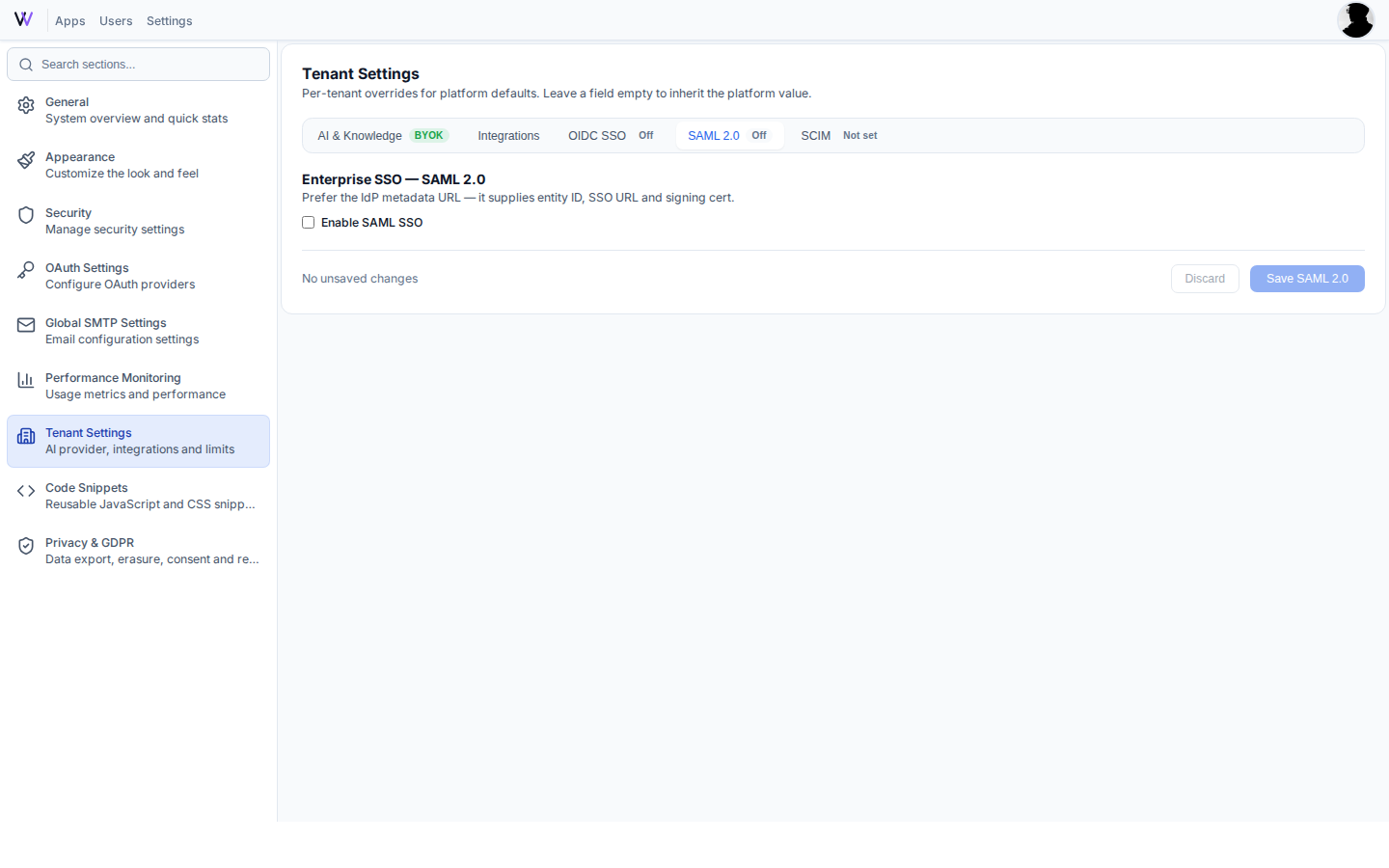
On top of that sit two more per-tenant controls: an IP allow-list (evaluated after tenant resolution, so the right workspace's rules apply to the right request) and the security policy itself — minimum password length, required character classes, the lockout knobs above, and the MFA toggle.
Three layers of "who": user type, app assignment, role
Authentication answers "who are you." Authorization in Workcraft is three nested answers:
1. What kind of account is this? Every user has a platform type. Account admins run the tenant. App creators can design and publish — with one important constraint: a creator's design rights are scoped to apps they're assigned to, while account admins bypass that scoping. Everyone else is an end user.
2. Which apps can you even see? Users are assigned to apps explicitly. The assignment list on your user record is the door list — designers get in only if they're on it.
3. What can you do inside the app? This is where per-app roles come in — and they're real RBAC, not decoration. Each app defines named roles holding a permission map: read, write, delete, admin (grants everything), and the interesting one — ownRecordsOnly, a row-level flag that restricts you to records you created or that are assigned to you (matched against assignment-style fields like assignedTo, owner, or email). The permission check runs server-side on the data path, and the ownership restriction is pushed down into the database query itself — a role-scoped user literally cannot fetch rows outside their slice, not just "the UI hides them."
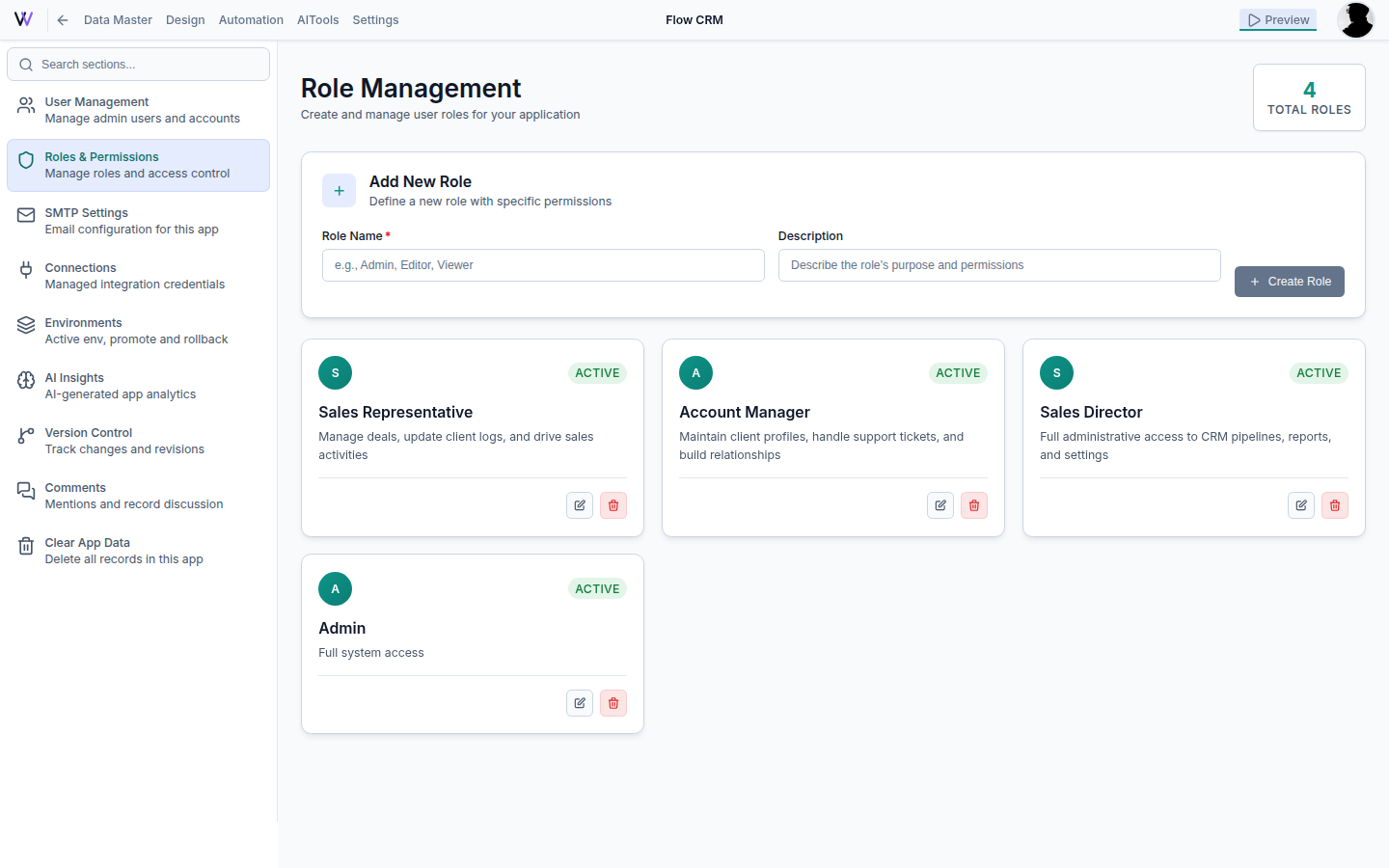
Two honest edge cases in the model: apps that define no roles at all are open — that's the pre-RBAC default, so locking down an existing app is opt-in — and designers/admins bypass runtime role checks entirely, so they can always preview and manage data while building.
The same roles also drive the non-page surfaces: workflow stages assign tasks by role (a stage configured for "approvers" resolves to whoever holds that role in the app), print templates can be restricted to specific roles, and menus can filter their items from a role data source. One role definition, several enforcement points.
Honest caveats
- Session timeout is a fixed 24 hours today. A configurable session-timeout option exists in the security settings model, but token validity is fixed in the token service — treat 24 hours as the real number.
- SSO tokens carry no tenant claim. Password-login tokens embed the tenant; tokens minted from SSO callbacks don't — tenancy for those sessions is re-derived from the membership check described in the previous post. Functionally equivalent, worth knowing if you're auditing claims.
- Public routes do their own auth. Webhook and channel endpoints sit outside the session requirement and rely on per-handler verification instead — signature checks on channel events, single-use state tokens on OAuth callbacks, token-scoped public forms. "Public route" here means "the endpoint does its own auth," not "no auth."
- Keep role names unique inside an app. Workflow assignments resolve both role names and role ids — convenient, and a reason to avoid duplicates.
Deeper reference: security and access · users and roles · platform admin.
Want to try it? Get a demo workspace or read the docs.