Blog · 2026-11-17
Dev, Staging, Prod: Environments and Promotion in Workcraft
Named runtime environments per app, with variables, promotion and a rollback escape hatch.
Every serious app eventually needs the same boring thing: a dev copy you can break and a prod copy nobody touches without a checklist. Workcraft's Environments give each app named runtime configurations — dev, staging, prod — with per-environment variables, a default environment, and a promote/compare/rollback workflow for moving changes between them.
What an environment actually is
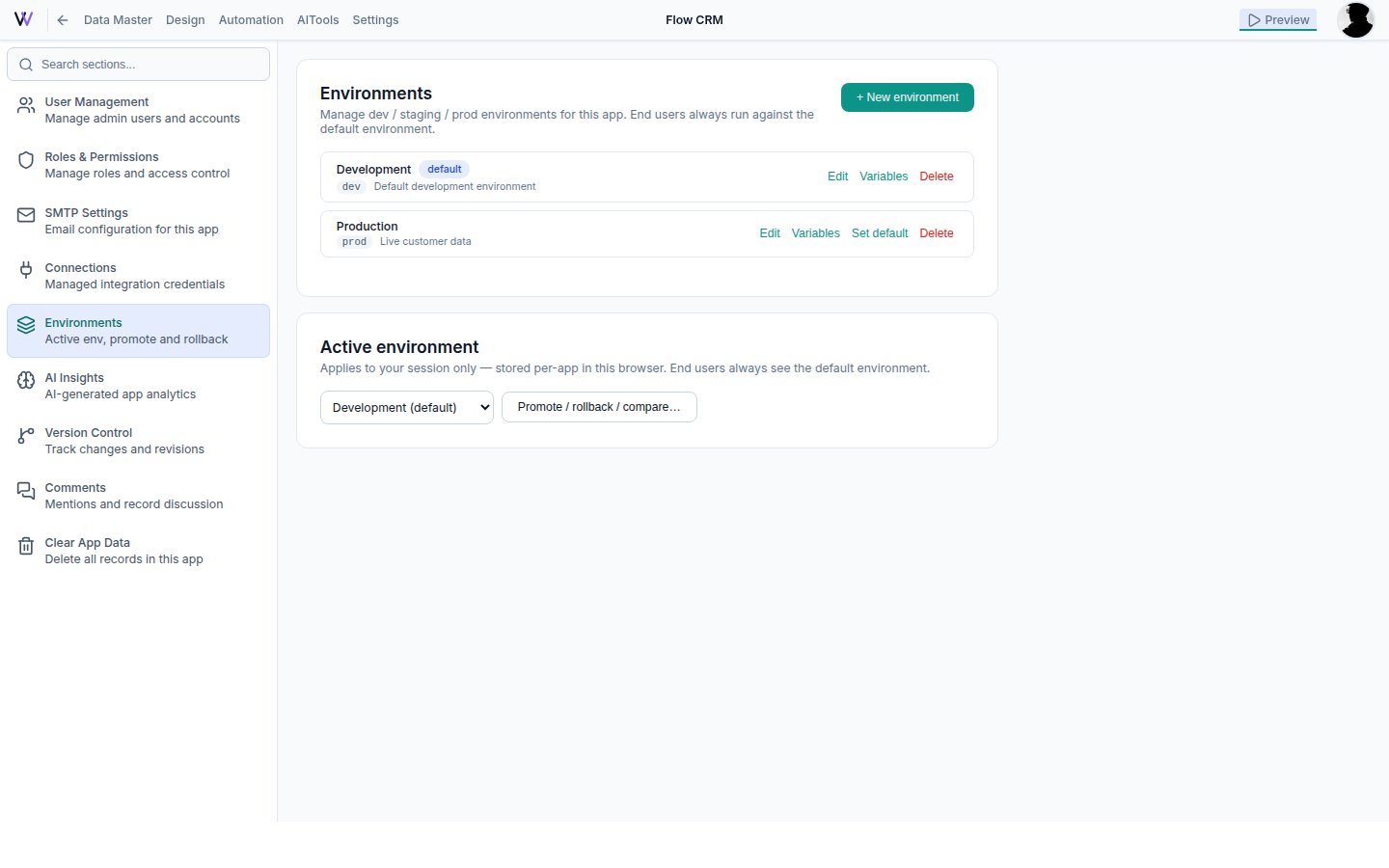
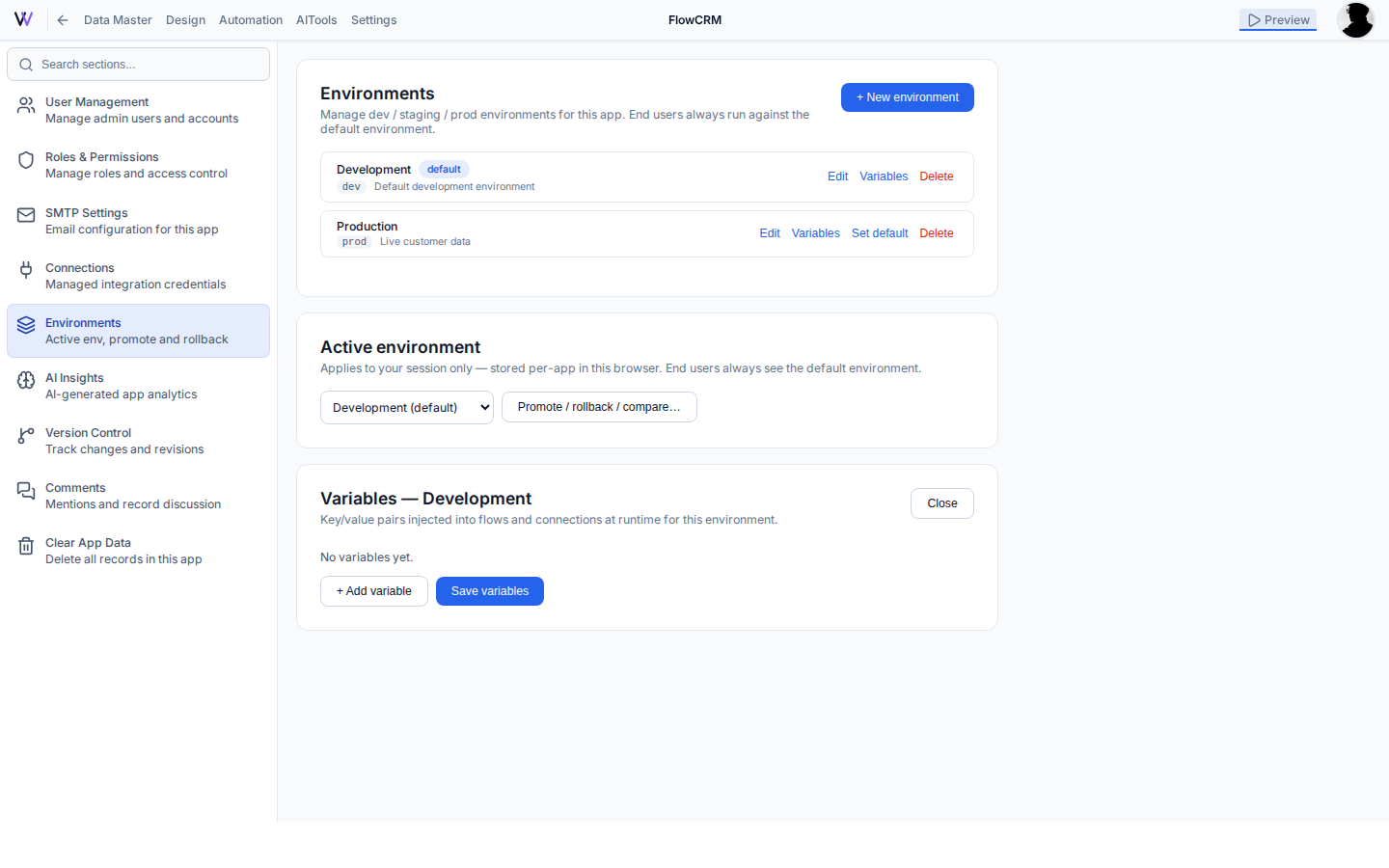
An environment is a small record scoped to one app. It has a name ("Production"), a key ("prod"), an optional description, a free-form key/value map of variables your app reads at runtime, and a flag marking it as the default.
Three things to internalize: environments live per app (not per tenant), variables are just runtime configuration — not secrets storage — and the default is what a session uses when nothing is explicitly picked.
You manage them under App Settings → Environments: create environments, edit their variables, set the default, and delete the ones you don't need. A session-level environment picker lets you run the app against a non-default environment when you're testing.
Promotion, comparison, rollback
The environments docs walk the same workflow in reference form; here's the shape of it:
Variables alone would just be "config with extra steps." Three operations turn environments into a release workflow:
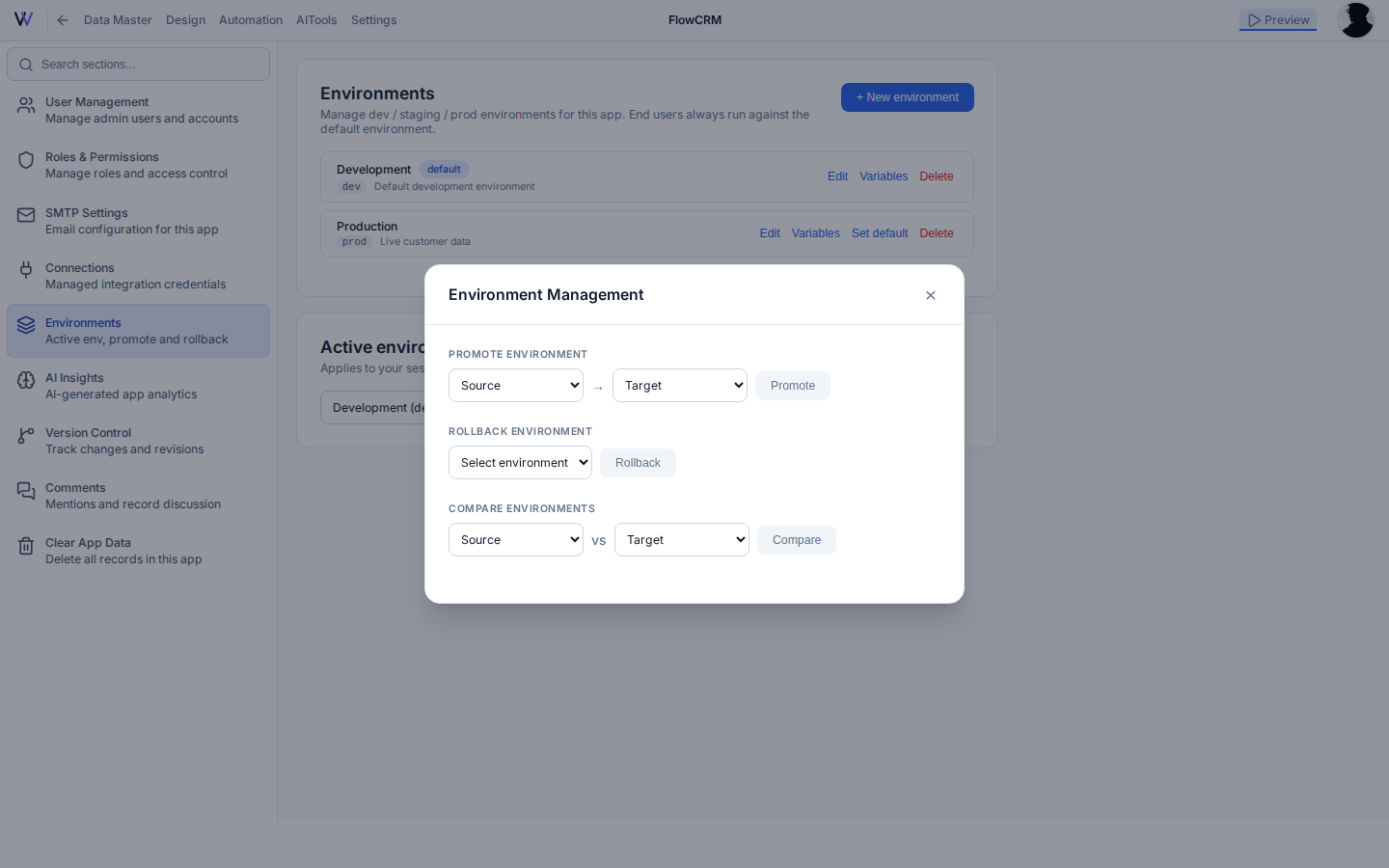
- Promote — moves one environment's state forward to another (dev → staging, staging → prod).
- Compare — diffs two environments so you can see exactly what a promote will change before you run it.
- Rollback — restores an environment from a snapshot when a promote goes sideways.
The intended loop:
- Build in dev. Point connections and variables at dev resources.
- Compare before promoting. Run the comparison so you know exactly what the promote will change — read it the way you'd read a diff before merging.
- Promote. Move the environment state forward to your staging or production environment.
- Roll back if it goes wrong. Restore the snapshot — the escape hatch that makes promotion safe to use casually.
How to think about it
- Variables are per environment, secrets are not necessarily here. Connection credentials live in connection configs; environment variables are for non-secret runtime knobs — URLs, flags, thresholds.
- The default matters. Whatever runs without an explicit environment choice lands on the default — point it at the environment that's safe for unattended runs.
- Compare is your pre-flight check. It's read-only and free to run — so there's no excuse for promoting blind.
Honest caveat: environments manage runtime configuration and promotion of environment state — they are not a separate deployment pipeline with isolated infrastructure. For full isolation between stages, pair them with the app-level version control covered in our versioning post.
Want to try it? Get a demo workspace or read the docs.