Blog · 2026-11-25
Every Node in the Flow Designer, Explained: A Field Guide to Workcraft's 11-Category Palette
65 node types, 11 categories, and six overlap decisions everyone gets stuck on — a field guide to the Flow Designer palette, from control flow to enterprise connectors.
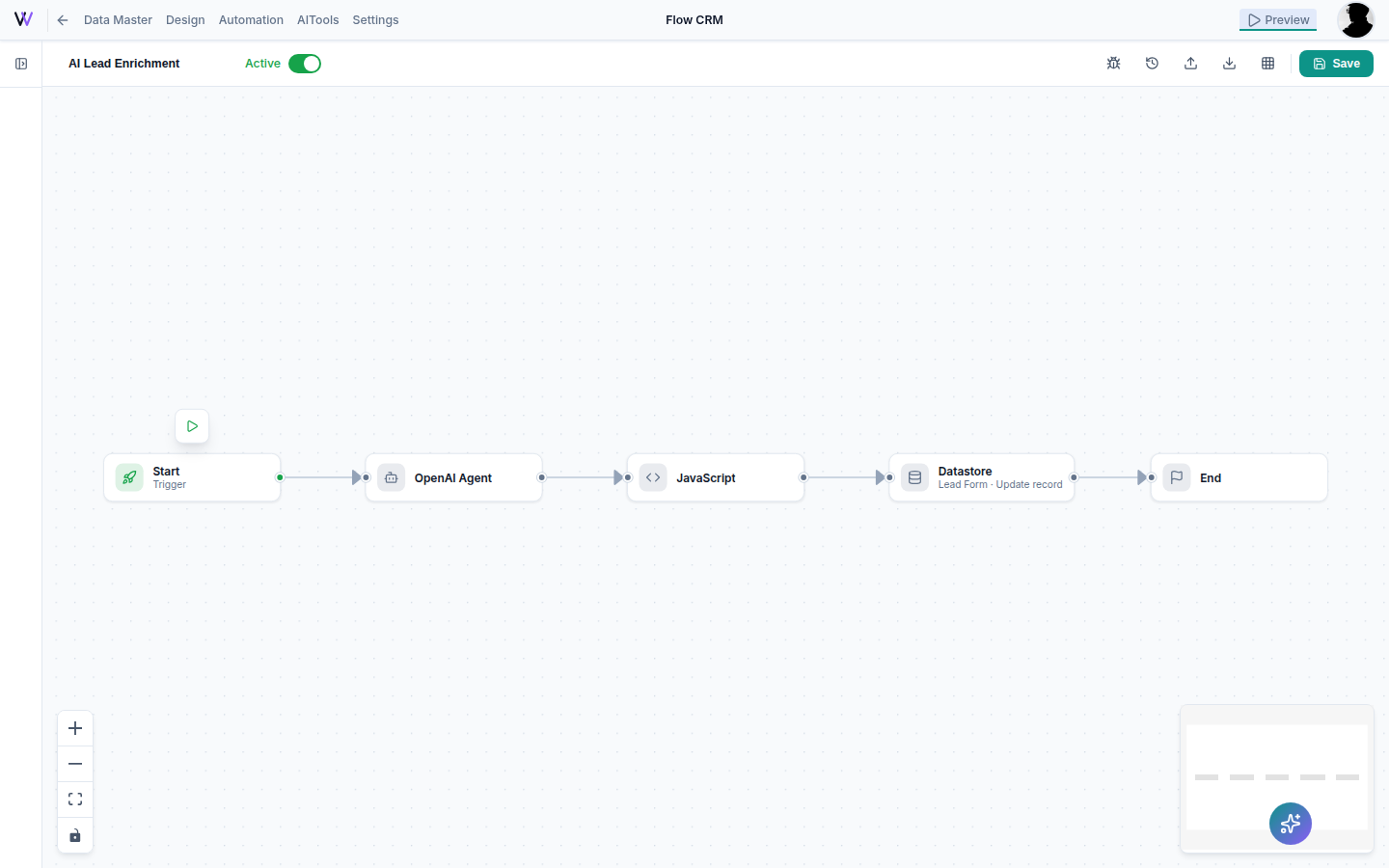
Open the Flow Designer's node palette and you get a wall of icons: 65 node types across 11 categories. This guide is the map: what each category is for, which nodes inside it do overlapping jobs (and how to pick), and the two mechanical facts that make the whole taxonomy click once you see them.
Fact 1: a node is a type, not an operation
The flow engine dispatches on roughly 160 distinct actions. That sounds like 160 nodes. It isn't. About 65 are real node types; the rest are sub-actions dispatched inside a single node. The Datastore node alone owns record create/read/update/delete plus list. The Data Table node owns the row family (add, get, update, delete, list). Teams and Microsoft 365 fan out into dozens of Graph actions — create a team, send a message, list chats, read presence — all selected by an operation field on one node. Redis carries get/set/exists/increment/delete behind a single tile.
Why this matters to you: when you're hunting for "the node that reads a Salesforce record," don't scan the palette for a verb — find the system (Salesforce), then pick the verb inside the node's operation selector. The enterprise connectors are built this way on purpose: one declarative schema per connector — credential fields, operation list, per-operation fields — so Salesforce, Jira, and SAP panels all behave identically once you've learned one.
Fact 2: node availability follows your plan
Every node type maps to a plan feature, enforced twice — at design time (saving a flow scans its node types) and again at runtime per node:
- AI agent nodes (OpenAI, Anthropic, Gemini, Ollama, LM Studio, Perplexity, HuggingFace, OpenRouter, Speech-to-Text, Text-to-Speech) →
ai.nodes - RAG pipeline nodes (
rag,vectordb,embedding,documentupload) →ai.rag - Enterprise connectors (Salesforce, Jira, HubSpot, ServiceNow, Zendesk, SAP, Workday, NetSuite, Stripe, Razorpay, DocuSign, GitHub, AWS, Oracle, Twilio, SendGrid, Microsoft 365) →
connectors.enterprise slack/teams→channels.slack/channels.teamsworkflow→workflow.advanced
Everything else — logic, databases, the Google suite, email, files, chat, app-data nodes — is ungated. A node your plan doesn't include fails at save time, not mid-run.
The 11 categories, and when to reach for each
| Category | Count | Nodes | Reach for it when |
|---|---|---|---|
| General | 8 | Start, End, Webhook, If-Else, Decision Rule, Loop, Sub-Flow | Every flow. This is control flow and entry/exit. |
| AI Agents | 12 | OpenAI, Anthropic, Gemini, Ollama, LM Studio, Perplexity, HuggingFace, OpenRouter, RAG, Embedding, Speech→Text, Text→Speech | Anything a model should decide, write, transcribe, or synthesize. |
| Database | 9 | MySQL, Postgres, MongoDB, SQL, Oracle, Redis, Elasticsearch, Airtable, Vector DB | Querying infrastructure outside the app's own data. |
| 5 | Sheets, Drive, Calendar, Workspace, Gmail | Google-account operations. | |
| Communication | 7 | Email, Teams, Slack, Twilio, SendGrid, Microsoft 365, Notification | Messaging a human on some channel. |
| Web & Data (enterprise) | 14 | Salesforce, Jira, HubSpot, ServiceNow, Zendesk, SAP, Workday, NetSuite, Stripe, Razorpay, DocuSign, GitHub, AWS, Firecrawl | Third-party SaaS reads/writes and web scraping. |
| Files & Documents | 4 | PDF Generator, File Writer, Notion, Document Upload | Producing or ingesting documents. |
| Data Processing | 2 | JavaScript, JOLT Transform | Reshaping data between nodes. |
| IT & Operations | 2 | MeshCentral, OAuth | Device actions; acquiring/refreshing OAuth tokens for downstream calls. |
| Chat | 4 | Chat Input, Question Chat, Message Input, Chat Response | Building conversational widgets — pausing a flow to ask the user something. |
| App Data | 3 | Datastore, Data Table, Workflow | Touching this app's own records and record lifecycles. |
The overlap calls — six decisions people actually get stuck on
1. datastore/datatable vs. the database connectors. App Data nodes operate on data inside your Workcraft app — its collections and tables — with no credentials to manage. The mysql/postgres/mongo/sql family is for databases outside the app, reached through a managed connection or inline credentials. If the data lives in the app you built, it's App Data. If it's the company's existing Postgres, it's a database node. (sql is the generic query node; the named ones add connection conveniences.)
2. email vs. sendgrid vs. gmail vs. msgraph. Four nodes send mail. email uses the platform's SMTP path — the default for "just send it." sendgrid and gmail go through those providers' APIs (template/send features, Gmail search/read back). msgraph covers Outlook as one surface of Microsoft 365, alongside OneDrive/SharePoint/Excel — pick it when the flow already lives in the Microsoft world.
3. ifelse vs. decisionrule vs. loop. If-Else is a binary branch on a condition expression. Decision Rule routes on a table of business rules — the right call when you have five conditions that ops will want to edit without redrawing the graph. Loop iterates a collection node-by-node per item. Rule of thumb: one fork → If-Else; a policy → Decision Rule; a list → Loop.
4. webhook is outbound, not inbound. This is the taxonomy's biggest naming trap. The Webhook node calls an external HTTP endpoint from inside your flow — it's the generic HTTP client. Flows are triggered inbound by the Start node's modes: manual, scheduled, an external execute call, or invocation from another flow via subflow.
5. javascript vs. jolt. JavaScript runs arbitrary code server-side — use it for logic that isn't JSON-shaped. JOLT is a declarative JSON-to-JSON transform spec — use it for pure reshaping (rename fields, restructure arrays). If you're writing a for loop, it's JavaScript. If you're writing a mapping, it's JOLT.
6. workflow vs. the flow itself. The Workflow node doesn't draw a sub-automation — that's subflow. It advances a record through its server-side workflow (stages, transitions, approvals). Flows automate; workflows govern. You need the Workflow node exactly when an automation should move a record forward in its lifecycle — and it's gated behind workflow.advanced.
The AI-agent row deserves its own paragraph
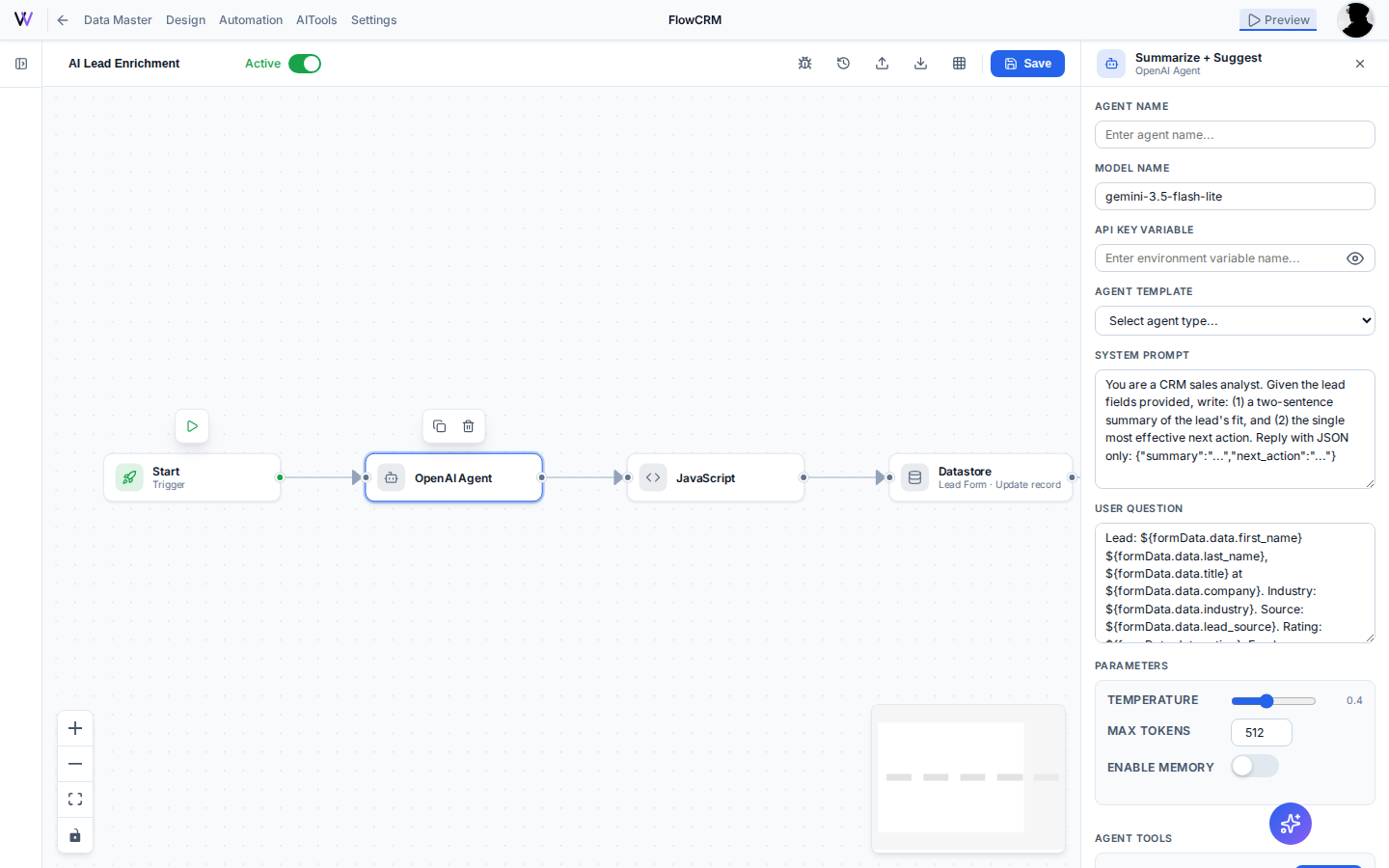
Eight of the twelve AI nodes are the same node shape pointed at different providers: agent name, model name, API-key-via-env-var, system prompt, user question, temperature/max tokens, optional memory, optional tools/subagents. Choosing among them is a procurement question (which key do you have, which model do you trust), not a design question. Ollama and LM Studio are the interesting pair — they point at local model servers, which makes them the zero-cost, data-stays-on-prem option. The other four AI nodes are different in kind: RAG answers over your knowledge base, Embedding produces vectors, Speech-to-Text and Text-to-Speech convert modalities. And note the gating split: rag/embedding/vectordb/documentupload need ai.rag, a different entitlement than the agent nodes' ai.nodes — you can have one without the other.
Connections: where credentials live
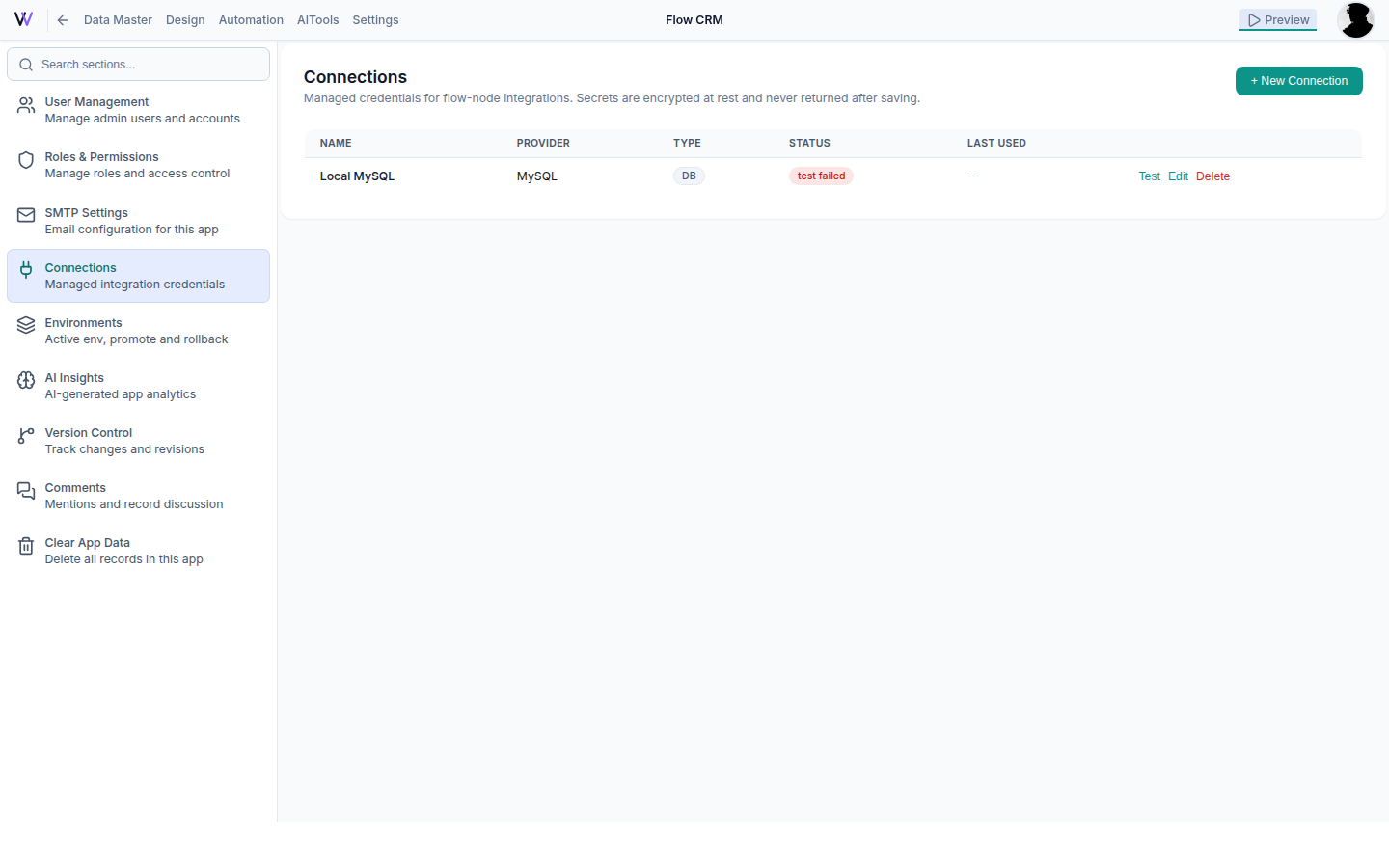
Connector nodes resolve credentials through a managed connection record or inline credential fields. The connection path wins for anything real: credentials are stored encrypted server-side and injected into the node's config only at execution, so nothing sensitive sits in the flow definition — and plan gating applies to creating the connection too. If a connector offers both, prefer the connection; inline creds are for quick debugging.
Where the field guide ends
Honest limits of a taxonomy post:
- Per-operation field lists for the enterprise connectors are declared in the product, but tested request/response shapes are a running-tenant exercise — check the node's own form and a debug run.
- Rate limits, timeouts, and payload caps aren't part of the taxonomy — treat them as provider limits, not platform ones.
- The flow node reference is the living document; this post is the map, not the manual.
Deeper reference: flow node reference · automation flows · plans and limits.
Want to try it? Get a demo workspace or read the docs.